We are looking at 3D print bed surfaces and coatings in this post.
This blog post contains an overview of the more common materials used as a 3D printing build surface. Plenty of tips and advice and we also take a look at a how well a bed coating 'skin' called 3D EeZ performs. And it's also a general call out for any other bed formula's or materials to test or experiment with. I hope you find it useful.

Most aspects of 3D Printing take time and some experimentation to refine what works best, if you already have good solution for the print bed surface, skip down to the end and take a look at how 3D EeZ worked in the test.
Will it stick?
For all the years I have been using home 3D Printers, one fundamental aspect is still causing frustration for new and experienced users alike. The issue here is getting the first layer to stick, then completing a print without unsticking, flying off mid-print or bending (warping) corners on objects.
It's now quite uncommon to have a non heated build platform, unless you choose to do so by turning it off.
One very common solution for printing in PLA, heated or not is blue 3M painters tape (multi-purpose #2090). To be honest this is fantastic for smaller machines like my 3DR design, Tantillus or the new Ultimaker 2 Go.

Have some 3M blue tape handy, it's still a really good solution for many objects and materials.
When printing small (or really tiny) and highly detailed parts, I often opt for blue tape and no heated bed. You can run cooling fans at full power and achieve highly successful and impressive prints.
 |
| Blue Painters tape - ideal for detailed tiny printing, using no heated bed. |
A sheet of thick (~10mm) acrylic is another common choice when not using a heated bed, just be careful not to drive the nozzle into the surface as it will melt.
If you need to print bigger parts over ~100mm+ wide then a heated bed will help keep things flat and limit edge curl up on parts.
For PLA, PET and various filled/mixed materials (WoodFill / BrassFill etc.) you can often just use a clean sheet of glass as a suitable build platform.

Before trying to print anything, do check your nozzle is flat and vertically straight with the build platform. You also need the build surface as level as you can possibly achieve. A low cost mechanical dial shown above can really help get things set up quickly.

Top tip for using plain glass is to keep it clean, remove grease and fingerprints with alcohol or I really recommend window cleaner containing vinegar.
I use mirror glass. Handy sized 200mm x 200mm mirror tiles can be found at ikea (SÖRLI) The mirrored surface helps with checking the first layer is going down well and it heats up fast and evenly.
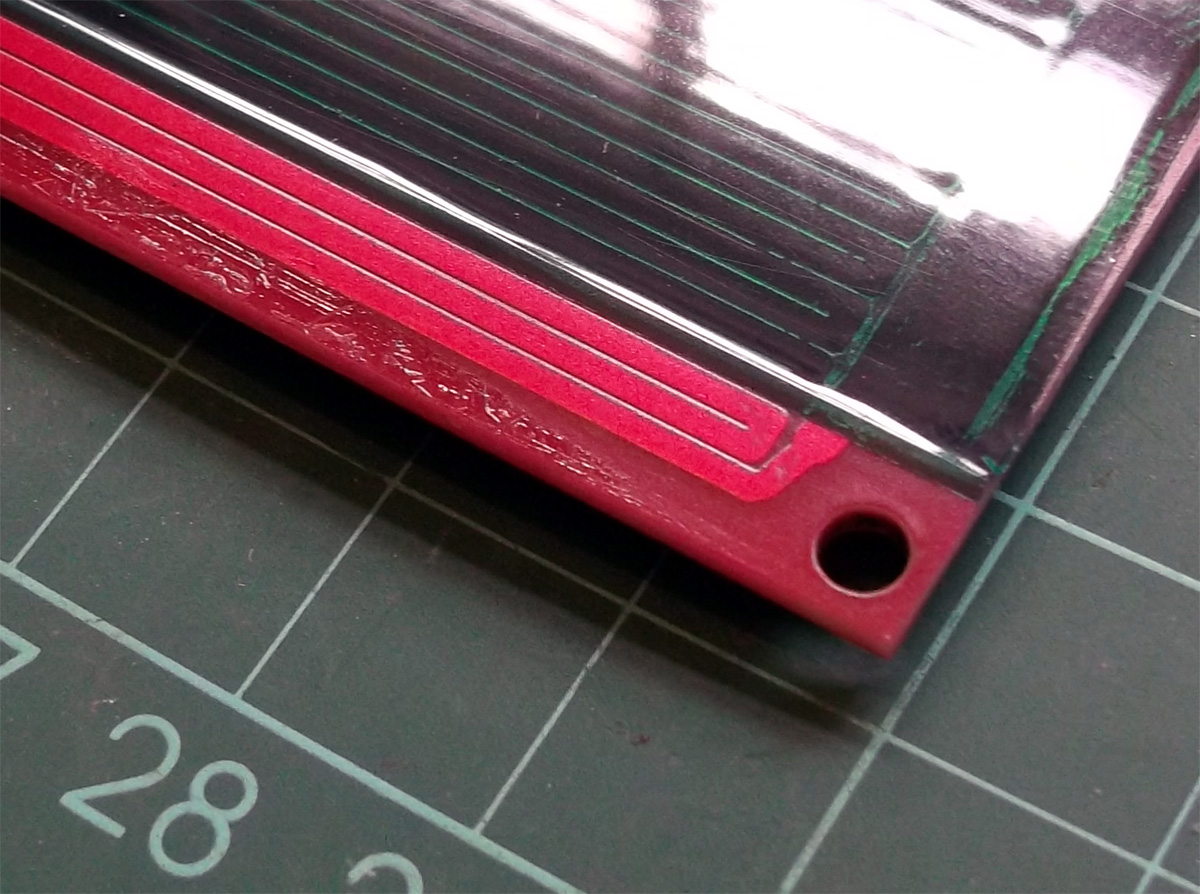
PLA sticks perfectly well to uncoated clean glass. If all I printed was small(ish) PLA parts, I would always just use clean glass. The trouble comes when you want to start printing bigger (over about 170mm wide in size) or with other materials.
PVA or glue based washes are also commonly used on top of a heated glass surface. For a few years now I have most often used a 1 part PVA (elmers glue) and 8 parts water solution, it provides an excellent surface for PLA and PET printing.
 |
| PVA wash. Apply when bed is cold and leave to fully dry. |

PLA being printed on a PVA coated heated glass surface.
Getting the first layer distance correctly set takes some experimentation. After a number of prints you should be able to tell when it's going down well.

The print above is just on the borderline of being very slightly too close for the first layer. But you are usually better off being slightly compressed than not enough. Just 0.05mm more or less can make a big difference.

And this first print layer above was just slightly too far away from the build platform.
When you print the first layer, you want to see the perimeter and infill join up, no gaps or plastic riding up in ridges. When you print the second layer, you do not want to see the hot end nozzle ploughing through the first, it should again be nicely layered on top, not digging into the first layer of material.

Gluestick, most brands seem to do a similar job. Mark Durbin kindly brought me back some genuine sticks of Elmers glue from the US. And while I remember Mark has a stunning lithophane generator up here, do check it out.
Hairspray is another common choice. Not all brands work, you need to look out for 'extra hold' with ingredients including Vinyl, Acetate and Copolymer. No wonder it holds hair in place.


Hairspray gives a nice mottled surface to the printed object, less shiny than just sheet glass alone. I have had a few materials, like Laybrick & Laywood stick so strongly when using hairspray that the glass cracked trying to remove them, so test out your spray with small prints first.
 |
| Hairspray is easily applied and works remarkably well for PLA and PET. It does required frequent reapplication as some will stick to the surface of most printed objects. |
Nylon is a little different. |
| Tufnol / Garolite is often used as a heated bed surface for Nylon based print materials.
Nylon likes cellulose based fibres, so it will stick to almost anything made from wood, paper, compressed cardboard or impregnated cotton sheets (like Tufnol). The main issue is still massive warping forces as objects are printed, they will rip up or bend cardboard. I found Tufnol to be the best surface for Nylon.
Blue tape and wooden surfaces also work with various degrees of success for Nylon printing.
|
A few quick notes on ABS -
Printing with ABS is a little more tricky. You really can't print without a heated bed, and that wants to be running up at 100+ Degrees C. to get the best results. Only a fully heated chamber really provides the best way to print large ABS parts (over 200mm wide).
ABS just wants to warp and generally curl up, you really only have two choices -
Mechanical grip -

Using this method a sacrificial 'raft' is often printed fist, then the object on top, when printing is finished the raft is peeled off. The raft also helps to minimise warp in the printed object, but objects printed in ABS over 150mm wide will almost always warp or have curled up edges.
The second option, and now the most common is to wipe on a solution of ABS dissolved in Acetone. This is often called ABS Juice, companies like LulzBot provide nice instructions on how to make your own 'LulzJuice', thanks guys.
I recently tested out PEI as a (heated) bed material (sample courtesy of Robox) , this is quite expensive but does work very well with almost all existing thermoplastic materials being used for home 3D Printing today. I highly expect many more 3D printer manufacturers to adopt the use of removable PEI sheets as the next generation build platform, for home and consumer machines.

PEI Sheet - expensive, but performs well.
Now to test 3D EeZ -
Lets get on to the testing of 3D EeZ. Various materials, stickers, solutions and methods have been tried over the years. Often proving successful with one or two types of 3D print material, but usually not many or all.
Before Christmas, Tony Gaston mentioned he had a new paint-on 'skin' for 3D printer platforms.
It's not an 'open formula' and I still don't know what's actually in it, but I was intrigued by the video's and Tony is a nice chap, just trying to get people to try out his product, so decided to try it out.
Having to import the solution into the UK took some time and proved costly to get hold of, but anyone in the US should now be able to get it quite quickly to test out. I was unsure if it would work better than other home made solutions, but why not give it a test.
My existing heated bed -

This is what my typical mirror glass build surface looks like, this particular one has a mix of PVA wash, gluestick and some hairspray for surface 'repair'. It would have printed around 100 objects to end up looking like this, and it still works fine for most materials apart from ABS and it's limited to small sized Nylon parts only.

It's very easy to clean in a little warm water, this is an Ikea mirror cut to size. ~410mm x ~205mm and it's 3mm thick glass.

It's very thick but easy to apply, just wipe on using the sponge brush. Tony is working on a better applicators and an easier to handle container.
It's recommended to apply three layers, most recently I have dropped down to just two, but for all the testing below I had three layers of 3D EeZ - applied in opposite directions, across, up/down, and across. Each coat is applied cold and heated at 60 degrees C until it dried, about 10 mins.
It smells a little like glue, but you soon realise it's not just PVA in this mix.

My first print was just a few tiny cubes (10mm tall) in PLA with a 'brim' (skirt) to test how well it would stick. Normally after printing a PLA part I would knock them off, sometimes before the temperature of the heated bed dropped too low, so I could start another print quickly. That was not going to happen with 3D EeZ.
If you look closely at the picture above, you can see where I tried to pull off the front printed tower, I could not move it, and when I used a pair of pliers I was concerned about breaking the glass. But it did finally come off and bubbled the 3D EeZ coating. First print, first damage, not good, but it was my fault. (I think).
I decided to wait until the temperature dropped. It was a cold day and at 18 degrees C ambient the other two snapped off firmly but without any damage to the surface or part. I realised you must wait for the temperature to drop before attempting to remove the parts.
I would also later work out that it can be too cold with 3D EeZ, see later on below.
At this point I was concerned that if I printed anything too big it would simply not come off of the build surface. But don't worry that's not the case, Just don't use the brim (skirt) function for anything.

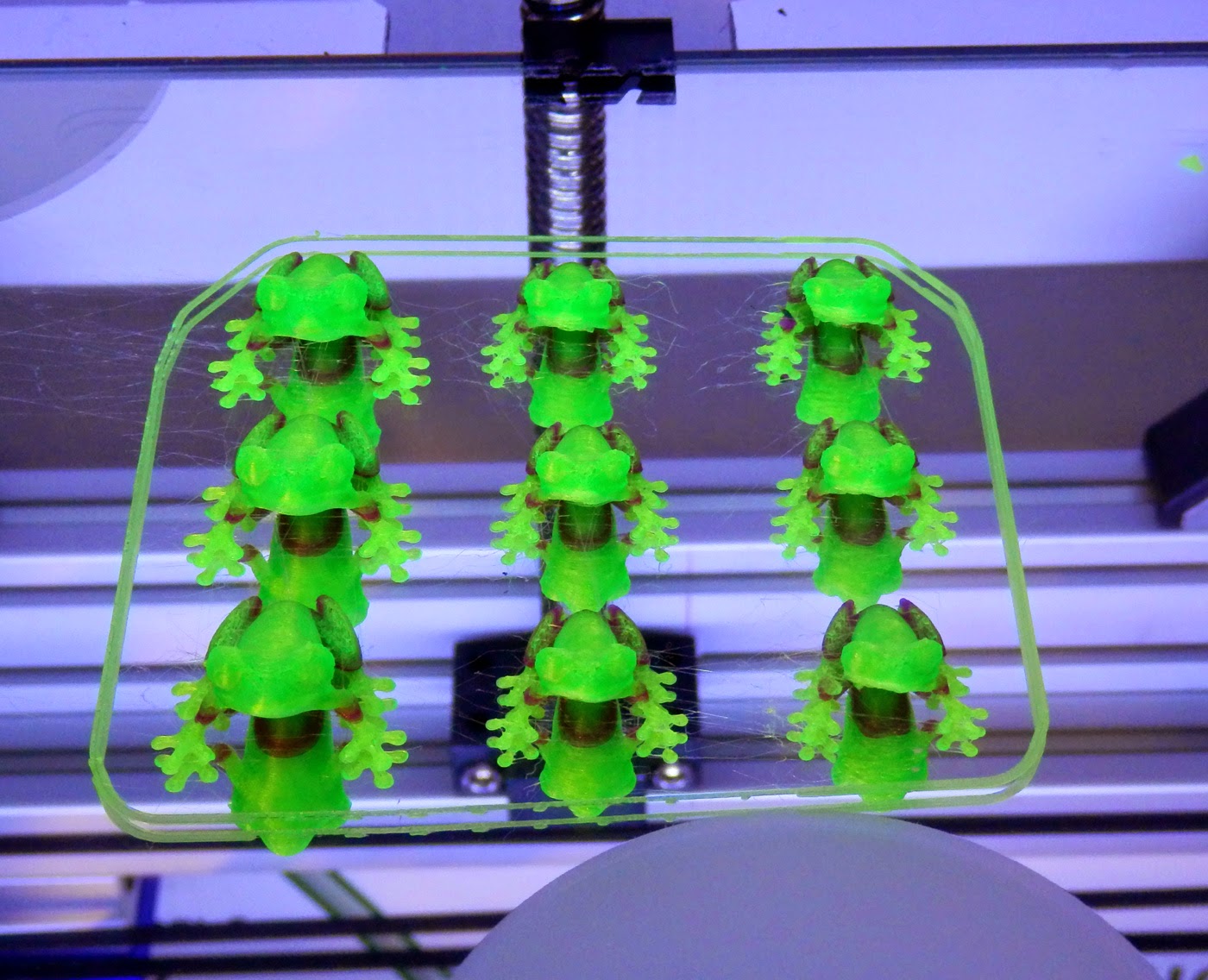
I printed various smaller parts (ok, lots of test tree frogs) in PLA, Ninjaflex, Filaflex, Bridge Nylon, Polywood and three different types of PET... And ABS too! All worked, well.


Tree frog Ninjaflex, he is quite tricky to print at the best of times in rubber, but stuck, printed and peeled off perfectly.

I didn't expect Nylon to stick, but it's actually really good.


Bridge Nylon sticks really well (almost too well), above you can see some signs of what looks like damage, but a wipe over with wet sponge and this disappears. Ignore the obvious surface damage in the middle, this was the forced 'hot removal' of the very first print tower. Again it was 'repaired' with a spot of water.

At some point printing different materials (and many more frogs) I didn't wait for the bed temperature to drop, and further damage was sustained to the surface. At this point I decided to work out what the ideal removal temperature was. It turns out that it's around 28 degrees C for most materials I tested. I believe the 3D EeZ coating changes from a semi-flexible surface to a more solid film at around ~40 Degrees C. But that's just from observation during use.
If you leave the printed part on the build platform and let it cool completely, it actually seems harder to remove than at around 28 Degrees C. I found that you can heat up a cooled bed to 40 and let it drop back to 28 for much easier removal of any stubborn parts you have let get too cold.
I now have my end of Gcode set to drop down to 28 degrees C at the end of a print making removal much easier.

It's quite easy to repair the surface, you just drip and smooth on more of the 3D EeZ solution into any damaged areas. After discovering the ideal removal temperature and repair, I managed around another 120 prints all without any further significant damage to the coating. I found a sponge wash over of water every 40 or so prints helped refresh the surface.

Getting bigger (Aria the Dragon)

And bigger - dolls furniture

And for a really interesting test, the beautiful Astrolabe Tree Ornament by Don Foley

These rings just pop off with a normal scraper when the bed is around 28 degrees C.

Here you can see the nice matt finish you get on the underside of the print, this is particularly nice as it helps to make it look just like the other surfaces. Using just glass you get a very shiny base that can often look out of place.
The shadow rings you can see in the background will lessen next time the bed is heated, or a wipe of a wet sponge seems to help make them vanish.

I printed out bigger and more complex parts, all without the need of any form of 'brim' or skirting option.

The bigger parts were also quite interesting, as when they cooled some popped off the platform themselves, some had an edge stick but generally the bigger the part the easier it was to remove.
Does it last forever?
 |
| After around 120 prints I notice a slight yellowing of the surface. |

It's very easy to remove, just soak in water and it will peel off. These sheets when dry feel quite different to dried PVA, they crackle and feel more crisp. They are flexible, strong and not brittle.
You can't apply it to every surface -

That leads me on to one last bit of advice if you try out 3D EeZ - do not apply it to Kapton or PET Taped bed surfaces. You can print once, but it cracks and lifts off the surface. This makes sense really, it's just like having a PET printed part stuck to it.
I tested the material at bed temperatures from 30 Degrees C to 120 Degrees C with almost all the materials I had.
Like I said above even ABS sticks to it without a brim. I didn't print big in ABS, so that's one to do next time.
I sent over lots of feedback to Tony, he planned to tweak the formula, and try to get more manufactured as soon as possible. If he can get the volumes up and make it low cost, maybe more people can benefit.
If you are interested, Tony is also looking out for distributors in Europe/UK he is planning a launch soon.
I'm going to call this part one, as I do also intend to look at other solutions and surfaces now also becoming available. If you have any experiences of materials or coatings, want to share a great formula or have questions, do get in contact or leave a message below.
I hope that was useful and you get a chance to try out 3D EeZ at some point, it's a very interesting formulation, I wish Tony success with it.
Until next time.
Rich.