Showing posts with label video. Show all posts

Friday, 19 January 2018

3D Printing advice for materials. Tips & tricks - Advent 2017 review of models


Review and overview Video of the December 2017 advent calendar - modular Christmas tree
3D Printing advice, tips and tricks.

For every day of December 2017 I 3D Printed a part of the 2017 Advent Christmas Tree.

For the background and introduction - Day #1 Post click here

Christmas Advent 2017 Download on Thingiverse here - designed by Tom Van den Bon  With some help for each day by the South African Makers team.

Below is an overview video that will help you pinpoint any specific materials you may want to know more about. Printing advice, tricks and tips are included on each blog post during December 2017.

You can also watch this video in full HD, and many more from me over on YouTube Here

For a quick jump point and an overview of each day, see the list below -

Quick jump index For Blog posts each day and video times -
Day 1 – https://richrap.blogspot.co.uk/2017/12/christmas-advent-3d-printing-2017-day-1.html
2:48 - Fireplace - Designed by - Shaun Nadan

Day 2 – https://richrap.blogspot.co.uk/2017/12/christmas-advent-3d-printing-2017-day-2.html
3:33 - Mini Spool - Designed by - Tom Van den Bon

Day 3 – https://richrap.blogspot.co.uk/2017/12/christmas-advent-3d-printing-2017-day-3.html
4:46 - Christmas Rubber Ducky - Designed by - Andries Smuts

Day 4 – https://richrap.blogspot.co.uk/2017/12/christmas-advent-3d-printing-2017-day-4.html
5:26 - Christmas Lollipop - Designed by - Tom Van den Bon

Day 5 – https://richrap.blogspot.co.uk/2017/12/christmas-advent-3d-printing-2017-day-5.html
6:02 - Christmas Robot - Designed by - Lelanie Smuts

Day 6 – https://richrap.blogspot.co.uk/2017/12/christmas-advent-3d-printing-2017-day-6.html
6:30 - Christmas Stocking - Designed by - Candice Howe

Day 7 – https://richrap.blogspot.co.uk/2017/12/christmas-advent-3d-printing-advice-day.html
7:17 - Water Bottle Rocket - Designed by - Andries Smuts

Day 8 – https://richrap.blogspot.co.uk/2017/12/christmas-advent-3d-printing-advice-day_9.html
7:53 - Beemo - Designed by - Rick Treweek

Day 9 – https://richrap.blogspot.co.uk/2017/12/christmas-advent-3d-printing-advice-day_10.html
9:12 - Trumpet - Designed by - Candice Howe

Day 10 – https://richrap.blogspot.co.uk/2017/12/christmas-advent-3d-printing-advice-day_11.html
10:10 - Manger - Designed by - Michael Scholtz

Day 11 – https://richrap.blogspot.co.uk/2017/12/christmas-advent-3d-printing-day-11.html
10:33 - Potjie - Designed by - Megesh Govender

Day 12 – https://richrap.blogspot.co.uk/2017/12/christmas-advent-3d-printing-days-12-13.html
11:51 - Christmas Raptor - Designed by - Gerhardt Breedt

Day 13 – https://richrap.blogspot.co.uk/2017/12/christmas-advent-3d-printing-days-12-13.html
12:40 - Crate of Beer - Designed by - Andries Smuts

Day 14 – https://richrap.blogspot.co.uk/2017/12/christmas-advent-3d-printing-day-14.html
13:09 - Lego Block - Designed by - Tom Van den Bon

Day 15 – https://richrap.blogspot.co.uk/2017/12/christmas-advent-3d-printing-day-15.html
13:24 - Severed Foot - Designed by - Thomas Torr

Day 16 – https://richrap.blogspot.co.uk/2017/12/christmas-advent-3d-printing-day-16.html
13:40 - Mistletoe/Holly - Designed by -Candice Howe

Day 17 – https://richrap.blogspot.co.uk/2017/12/christmas-advent-3d-printing-day-17.html
14:04 - xmas Poo Emoji - Designed by - Shaun Nadan

Day 18 – https://richrap.blogspot.co.uk/2017/12/christmas-advent-3d-printing-day-18.html
14:31 - Popsicle (Ice Lolly) - Designed by - Tom Van den Bon

Day 19 – https://richrap.blogspot.co.uk/2017/12/christmas-advent-3d-printing-day-19.html
14:53 - Jeep - Designed by - Gerhardt Breedt

Day 20 – https://richrap.blogspot.co.uk/2017/12/christmas-advent-3d-printing-day-20.html
15:31 - Benchy - Designed by - P.J Prinsloo

Day 21 – https://richrap.blogspot.co.uk/2017/12/christmas-advent-3d-printing-day-21.html
15:51 - Abstract Apple - Designed by - Mohammed Hassen

Day 22 – https://richrap.blogspot.co.uk/2017/12/christmas-advent-3d-printing-day-22.html
16:17 - xmas Scene - Designed by - Shaun Nadan

Day 23 – https://richrap.blogspot.co.uk/2017/12/christmas-advent-3d-printing-day-23-24.html
16:45 - Heart Box - Designed by - Chris Venter

Day 24 – https://richrap.blogspot.co.uk/2017/12/christmas-advent-3d-printing-day-23-24.html
17:27 - The Grinch - Designed by - Shaun Nadan

Day 25 – https://richrap.blogspot.co.uk/2017/12/christmas-advent-3d-printing-christmas.html
17:41 - Christmas Star - Designed by - Tom Van den Bon

Very special thanks to Tom Van den Bon and the South African makers team

Completed Advent 2017 tree 

The original advent calendar from 2012 is on Thingiverse - designed by Peter Leppik.

Thanks for reading, see you next time.

Rich.

Please join me on Twitter @RichRap3D

My profile and posts over on Google+

Files and designs shared on YouMagine

Files and designs shared on GitHub

Files and designs shared on Repables 

My Youtube channel is here, all 3D Printing and Hi-Def video content.


Monday, 13 March 2017

Using the LulzBot TAZ 6 3D Printer - Part 1 Setup


TAZ 6

LulzBot are without doubt (in my opinion) the most open-Source 3D Printing company in the world.

Here is the start of my journey with the TAZ 6 3D Printer.
I could spend an entire blog post just telling you how LulzBot have open-source in every single aspect of their business. Not just the 3D printers they design, develop, support and manufacture, but all the systems they use, computers running them and well just everything. If someone told me they only drank open-source coffee? I would not be surprised in the slightest.

To the point they will contact independent developers (anywhere in the world) and help them finish, refine and improve a little-known open-source software package, because they would like to use it in their business too.

Just have a poke around on the LulzBot development site if you want to be impressed by Openness - http://devel.lulzbot.com/

LulzBot (and the Parent company Aleph Objects inc.) support many independent projects and diverse developments, they don't always shout about it, they just get involved and encourage. If I lived in the USA I would be camping out at LulzBot HQ.

We need to see more of these manufacturers in an amazing community like 3D Printing. I hope LulzBot always manage to stay that way. Anyway, enough of that. You can see I have a lot of time for the LulzBot team, their products and everything they stand for.

My admiration of LulzBot is not going to stop me from a detailed (and sometimes critical) look at their 3D Printers, software and generally the user experience with all of it. They thrive on all feedback and it's one of the fundamental aspects of open-innovation, so here we go with a first look at the LulzBot TAZ 6 3D Printer.

I'm not going to attempt to 'sell you' on this 3D printer. It's been out for a while and has already won awards on 3D Hubs and has a good reputation in the 3D printing community. You can make your own mind up about the machine. See if it's right for you and at the price point and feature list you need.

I'm not even going to go into detailed specifications about print size or capacity, you can google that or just look on the LulzBot website. I'm going to focus on the experience and how reliable it is over a long period of use and abuse in the real-world and how it handles lots of different materials.


I hope to be able to show you what it can and can't do over this and more blog posts and video's. If you have any questions or want me to try something specific, just send me a message (twitter is best, but anything usually works - apart from carrier pigeon).

If you watch the first video below (it's long, but I make no apology for that) you will see that you get a really good first experience with unboxing, assembly and setup of the TAZ 6.

I hardly ever do 'unboxing' video's, but this machine just deserved a showcase.


Quick jump index -
01:28 - Materials
03:35 - Unboxing the TAZ 6
06:15 - MOARstruder ???
12:30 - Approvals, regulations, safety
17:00 - Taz 6 Assembly
28:50 - Power ON...
30:30 - Handheld Gaming (3D printed)
32:55 - In the next TAZ 6 Video

I have always been a huge fan of the LulzBot 3D printers, I printed out and built up one of the very early prototype TK-0 machines back in 2013 (an early version of the TAZ design) I made many modifications and eventually dedicated my variant as a portable machine to use at shows and events.

During discussions after the TCT Show in 2016, the team from LulzBot kindly offered to send me a TAZ 6. This is not only great, but as it's a machine that is not normally seen in the UK / Europe I really want to help support the growth and awareness of LulzBot products (and their open-source / Open-Innovation nature).


I did have some initial setup problems, I will go into detail in Part 2 of this blog post and video series.

A pesky dislodged connector caused me some initial setup problems, but it was quickly identified and resolved. Much more about the problems, issues and resolutions in the next video / blog post - along with lots of 3D Prints and feedback about both print quality and user experience.

LulzBot also sent me over some materials that are tricky to find over in the UK or Europe. These have been really great to try out and do work exceptionally well in this 3D printer.

 LulzBot standard ABS Filament.

 Chroma Strand Labs Inova-1800 Co-Polyester.

 The only Taulman3D material I had yet to try out - Taulman n-vent
 And Verbatim PLA.

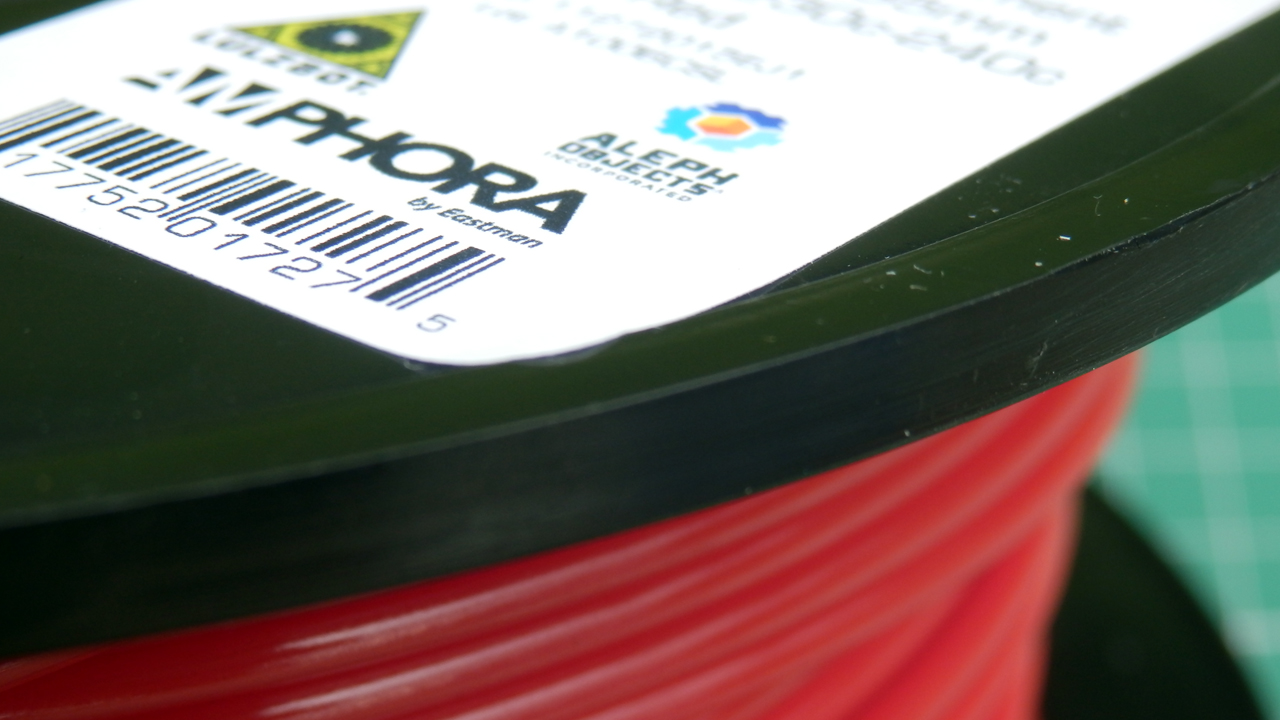
LulzBot also included some sample filament in the TAZ 6 Box. This is what you would get if you just ordered the printer - Very nice filament from Proto-pasta and Colorfabb.


Initial assembly is very straightforward, a detailed manual guides you through all the steps and provides great advice along the way.


Every single part (including the full set of tools provided) feels high quality and 'engineered' to a fine level.


I talk a lot about the approvals and regulations for this 3D printer in the video (it's a very good thing). I'm not going to repeat myself here, but do watch the part about 3D printer approvals (12:30 onwards) as it's good to know why fully assembled, well designed and tested machines are worth the extra cost etc.


Noise level is acceptable during setup and also full operation. It's around the same overall noise level as a Prusa i3 MK2 (normal setting) the Prusa quiet setting is slightly lower. The TAZ6 has a lower frequency to it's noise level output (slightly bigger fans than many 3D printers) so feels less annoying and less distracting in the background. The TAZ 6 is a lower overall noise level than the BCN3D Sigma (2016 version).

I have no problem with the TAZ 6 running in the same small room when I'm 1.5M away from it.

 Bucket O' Octopi by yeoldebrian, published 

A test print Octopus (Above) was included, I had no problems replicating and exceeding this print quality with the Taz 6.


We did plenty of  'play printing' over Christmas, lots of the standard objects, test prints and plenty of decorations. When it was all dialled in I started to explore what the TAZ 6 could really achieve.


The Red Chroma Strand Labs filament was really nice to use, and strong. I designed and printed some hooks for hanging objects to rafters, they were clean prints (just look at those perfect layers) and very strong indeed. I'll see if I can work out a way to break these and compare the results with PLA or ABS for the next blog post.


It was not long before 17+ hour prints were being tested and then multi-day objects in ultra fine and full build area dimensions. (more on that next time).


As default it is set to print quite slowly. The default profiles for Cura have a low speed of travel rate, it can handle a lot faster. The firmware (Marlin) acceleration feels slower than my normal settings. There is nothing wrong with going a little slower and having a lower acceleration, in fact it can improve both print quality and further reduce noise level.

The issue is more with the fact this printer can print BIG, so really you are going to need a compromise of both speed and quality for some bigger prints if you want them to finish in a working day or before going to bed. That's no different to many 3D printers, so this issue is not aimed at the TAZ, just an observation with bigger build areas in general.

LulzBot have installed a 0.5mm nozzle as standard. This provides a a good mix of speed v quality in many types of printed model. The original RepRap 'standard nozzle size' was 0.5mm, but over the last five+ years it's now much more common to see a 0.4mm being fitted to almost all 3D printers.

You could replace the nozzle, but if anything I may decide to go even bigger, this machine is just crying out for a great big nozzle to produce some serious 3D prints fast and accurately. And on that point I had hoped to be testing out the now MOARstruder, but sadly it was not quite available when I asked about it.  (see below).

MOARstruder is now fully available for the TAZ5 and TAZ6 directly from LulzBot on the website, you can check it out here.

After a lot more printing and testing with the TAZ6 Hexagon hot-end, I'm probably going to make a new extruder for the TAZ6 using the E3D Volcano. The Volcano is very similar to the new MOARstruder, in fact the nozzles are interchangeable for the Volcano ones, so you can fit hardened, stainless, brass or copper types.

In the next LulzBot TAZ 6 blog post (and video) will go into a lot more detail about the print quality, settings and use of both Cura and other slicing engines on the TAZ 6.

The TAZ6 did a lot of printing towards the end of 2016 and over Christmas. I now feel I understand many of the limits and balance between quality and settings for this 3D Printer. I significantly tweaked the profiles and then also stopped using Cura. It's producing solid and consistent results and has handled all materials I have thrown at it.

This 3D Printer is a very well engineered (slightly over-engineered, but in all good ways). It feels solid and always in control, the bed-level system is low-tech, but reliable and more importantly it works really well.


I'm totally enjoying the 3D printing experience with the TAZ 6. Plenty of things I would (and will) change, but for an out-of-the-box experience, it's delightful from delivery to first print (apart from the issue I had, but more on that next time). I have a lot more feedback for anyone considering this 3D printer, so join me text time for a closer look at the prints, profiles and capability of the LulzBot TAZ 6.

I almost forgot, in the video I talk about a Handheld Retro Gaming PC system I made up (Windows 10 to emulate older games and the like) - it was a simple and fun 3D printing project (anyone could do), I'm happy to go into a lot more detail, let me know if anyone would find this sort of project interesting. I do a lot of projects using 3D printing and often electronics / Arduino etc. - Not really sure if I should post more of these here or not?


Not printed on the TAZ 6, but I found it and talked about this project in the TAZ 6 video above, let me know if you want to see more projects (and maybe a design / assembly guide?) on these sort of things.


This was just a brief introduction to the TAZ 6 experience. Lots more next time, I hope you enjoyed it.

Rich.
@Richrap3D
RichRap on Youtube

Wednesday, 14 September 2016

Training - Mastering Desktop 3D Printing with Simplify3D - O'Reilly Media

Hello everyone, and many thanks for reading.

I had a short break from blogging and YouTube over the summer months, but I was still very busy with all things 3D Printing - Lots to update you with over the coming weeks, but first -  

I had a rather busy summer planning and recording a training series about 3D Printing for O'Reilly Media - Safari Books Online & Infinite Skills.


The first series of screen-cast training about using Simplify3D has now been released here.


Screen-cast training is essentially using and performing a step by step tutorial of the software package or activity. With this I had to cover both the software and physical aspect of making objects with a 3D printer.


You can also watch this in HD over on Youtube - YouTube Channel RichRap

If you have ever wanted to support me and my ongoing adventures with 3D Printing, then using this training course is a really great way, you may learn something new and any feedback you can give me will help with future content for this and my Blogs & YouTube. 

I don't enable any advertising in any of my 3D Printing blog, YouTube content or file sharing sites, so if you ever feel the desire to support my efforts, using media like this O'Reilly series will allow me to invest more time and effort into all my 3D Printing content and ongoing developments. Thank you.

This was the first time I had adventured into screen-cast training, and it's really quite a challenging but powerful way to demonstrate learning and provide real-world advice about a subject or application.

Okay, I know this is a self-promotional sales pitch, thanks for following my ongoing 3D Printing adventures and I hope this training is useful to you. 

O'Reilly asked me to write and record a 3D Printing training program for their Infinite Skills website. They had very little content on the many processes of 3D Printing. Plenty are already available on 3D modelling, but as we know a 3D model is not always suitable to be 3D Printed.

I decided to first focus on one of the most significant and challenging aspects of successful 3D Printing, and that's the Slicer and it's many settings. After much thought and a a realization that covering all the different open and closed source slicers would be almost impossible, I decided to focus on using Simplify3D. This has been my slicing program of choice for the last year+ and I have been really delighted with the control you get and support the Simplify3D team provide, to both their users and the wider 3D Printing and maker community.

If anyone has seen a screen-cast either live or recorded on YouTube you will often get frustrated watching someone mumble, make mistakes and generally jump around the program interface. That's not what the O'Reilly Infinite skills team expects - they have a very high standard of professional presenting. It was a lot of work, really good fun learning how to plan, script and produce an on-screen training series.

Okay, one last sales pitch + a chance to win a Simplify3D license

You can get my complete 3+ hour Simplify3D training package here - I can tell you this was a lot of work to put together so I hope it is useful and provides some good advice for both using the slicer and with improving your 3D Printing results.

If you want to check out my training style first, then do look at the introduction and setup sections where you can see if this course may help you.

This video should give you a taste of the training style, to see if if may benefit you. I go from a basic understanding to quite a high level of tricks and tips in later lessons

The entire table of contents is shown below, feel free to ask me any questions about it.

  1. Introduction
    1. Welcome To The Course 01m  26s 
    2. About The Author 01m  40s 
    3. How To Access Your Working Files01m  15s 
  2. Setup And Configuration
    1. Setup And Orientation For Simplify3D 08m  05s 
    2. Using The Configuration Assistant 05m  17s 
    3. Setting Machine Size And 3D Printer Profile04m  49s 
    4. Setting The Machine Firmware Type05m  49s 
    5. Machine Control Panel Interface05m  08s 
  3. Importing And Preparing 3D Models For Printing
    1. Importing 3D Models, Positioning, Scaling, And Rotation05m  48s 
    2. 3D Model Errors And Types Of Model Repair05m  00s 
    3. Rotating Parts For Strength, Mirroring, And Infill Levels06m  29s 
    4. Models Imports For Dual Extrusion 3D Printing06m  10s 
  4. Configuration Of Essential Print Process Settings
    1. Manufacturing Process Settings06m  13s 
    2. Setup Of The Extruder And 3D Printing Tool Head12m  20s 
    3. Layer Heights, Perimeters, And First Layer08m  25s 
    4. Additions And Settings05m  23s 
    5. Infill And Settings06m  03s 
    6. Support - Using Support Material06m  39s 
  5. Configuration Of Further Print Process Settings
    1. Temperature And Settings05m  29s 
    2. Cooling And Settings07m  17s 
    3. G-code And Machine Configuration Settings04m  06s 
    4. Script Settings And Examples04m  54s 
    5. Other Settings09m  22s 
    6. Advanced Settings07m  02s 
  6. Dual Extruder Machine Settings
    1. Setting Up Dual Extruders - Multiple Material 3D Printing04m  47s 
    2. Additions And Infill08m  09s 
    3. Support Material Settings04m  33s 
    4. Temperature And Tool Change04m  13s 
    5. Advanced Settings05m  08s 
  7. Generating 3D Print Files, Verification, And 3D Printing
    1. Generating G-code For Single Extruder04m  02s 
    2. Generating G-code For Dual Extruder02m  03s 
    3. Support Structures For Single And Dual Extruder Printing05m  05s 
    4. Viewing The Tool Path And Various Print Features02m  59s 
    5. Using The Machine Control Panel Interface For 3D Printing09m  43s 
  8. Thank You
    1. Wrap Up01m  30s


While this training does focus on using Simplify3D as an application, it covers many aspects of setting up your 3D Printer, what to watch out for before, during and after printing. Improving settings and using different materials for both single and dual 3D Printing. Even if you don't currently use Simplify3D you can still get a lot of useful advice and information to improve your 3D printing skills, whatever slicing package you currently use.

If you are not interested in the training, you can also donate directly to me via my paypal.me, if you would like. I really appreciate any support you can give, even if that's just reading the blog and being happy enough to come back for more next time.

Win a Simplify3D License - 

The wonderful people at Simplify3D are also providing some software license giveaways - This is in conjunction with E3D. All you need to do is Follow E3D and Also Simplify3D on Twitter and then send out a tweet to both of them saying what you want to do with 3D Printing, or what project you are working on that involves 3D printing. That's it and you may win a Simplify3D License.

While I remember - Daniel Noree - is having a competition - if you miss out, then check back with me for more chances to win a Simplify3D license.

Until next time (and that won't be long) Thank you all.

Richard.


Wednesday, 20 April 2016

Trying a different type of 3D Printing video update - need feedback

Hi everyone,

I'm trying to get some feedback on the way I do things - please help - thanks.

I thought I would try a slightly different type of 3D Printing update - I'm still trying to work out how I should continue with project updates / review's and advice about 3D Printers / materials and stuff.


Feel free to give me any feedback - good points / bad points and any ideas of what you would like to see from a 3D Printing YouTube Channel and/or blog etc.

I keep on going with the Blog because sometimes a video can be a great end result and a blog can be easier to follow and read. Blog posts do require many times more work than a quick update video, so I'm trying to find the balance - Do you read my Blog posts? of just watch my videos?

In the past many of my blog posts were considered too long (big developments / review's ) or TLDR.

I don't want to fall into the trap of doing great long video's (unless that's something people want) - under 15 minutes seems like a good level.

Maybe I should do more 5 minute ones? (Even this one below turned out longer than I expected, but is short 'news' actually useful?)

I'm currently updating YouTube, Blogger, Twitter and G+ and often that seems like too much.

I have no interest in posting to Facebook - is that wrong?

Anyway back to the point of this post - A roundup of things that are going on in the community, and projects / products, components and materials I'm looking at right now -


Or watch on YouTube in HD here - and please consider subscribing to my channel, thanks.

In this video I talk a little about the following and more - 

The E3D Titan extruder and EDGE filaments - http://e3d-online.com/Titan-Extruder


Also supporting Support Gina Häußge with Octoprint https://patreon.com/foosel


Tom's 3DP. http://toms3d.org/ 
Tom's Youtube channel - https://www.youtube.com/channel/UCb8R...


And congratulations Nils on the new baby Zelda :)

WIO Link - Kickstarter https://www.kickstarter.com/projects/...


The OLO 3DPrinter - Kickstarter https://www.kickstarter.com/projects/...


Discussing Core XY / XZ / YE - that needs much more discussion...


Please let me know what you think. I really appreciate it.

And remember to check out Gina's Patreon funding for ongoing Octoprint development -

Cheers,

Rich.