Showing posts with label PVA. Show all posts

Wednesday, 20 December 2017

Christmas Advent 3D Printing #Day 19 Advice printing with support materials

December advent calendar - modular Christmas tree
3D Printing advice #Day 19

For the background and introduction - Day #1 Post click here

Christmas Advent 2017 Download on Thingiverse here - designed by Tom Van den Bon  With some help for each day by the South African Makers team.


It's time for Day #19

Day 19 gift is designed by Gerhardt Breedt -  It's a totally awesome little Jeep, with a lot of detail.


Great little Jeep - printed in Faberdashery Greenery Green (It's Army-Man-Green really)

Because this model is a little more complex to print, and requires the use of support structures, today I'm giving advice about the use of different support materials available and how well they tend to work.

Single extruder setup - 

First let's look at what a 3D print will look like if support material is enabled using a single extruder machine.


Support structure enabled - Support in Green, model in Yellow (top faces shown in red-orange)

Lets print that...


It printed just fine, but now you have to remove all that support material. 


For removal of PLA you will need - 
  • Cuticle Nippers (Top-Tip - they work great) - For MEN, or WOMEN - :)
  • Pointy thing (left hand side - very pointy)
  • tweeters, 
  • time, 
  • patience, 
  • cup of tea, 
  • soothing music, 
  • etc.
Have a guess how long the above support removal was, I'll tell you down below, after we look at the alternative method.

Dual extruder setup - 


I'm using Faberdashery PLA( above) and Polymaker Polysupport (Below)


Another reason for doing this intensive advent calendar every day, was to test out the Olsson Ruby nozzles. They are doing really well, so today they get a short break. 

I will be using the Faberdashery PLA and Polymaker Polysupport in the BCN3D SIGMA R17 3D Printer.

The SIGMA can't fit the Ruby nozzles :(


The 500g roll of Polymaker Polysupport material fits really well in the SIGMA R17


Here I am using the support material in a different way, it's an interface rather than full structure.

The above Gcode image shows the model car in blue (PLA on left extruder), with a blue support structure (also in left PLA).

The interface (Dense support material) between lower PLA support and the model is shown in green, and is using the right extruder fitted with Polymaker Polysupport.

Let's print that on the SIGMA R17 -

The main PLA material is used for both the model and 98% of the support structure, just the interface is in Polymaker Polysupport.

Printed great, no problems at all - Polysupport prints a lot like PLA (just slightly higher temperature).

Lets remove the green support material...

The only tools you need for Polysmooth support removal are 'pointy thing' and a toothbrush,

It comes off clean and easily. Just a quick brush and a poke here the there.


Support cleanup time compare - 

The Pink Jeep, using just PLA support (Single extruder) was 16 minutes and 23 seconds. I also used a flame to smooth off a few sharp edges. (+10 seconds)

The alternative Green Jeep, using Dual extruder 'IDEX' SIGMA PLA and Polysupport was exactly 1 minute and 18 seconds. That was including brushing time, I also did not need to use a flame for cleanup.

With big and complex print projects, a break-away support material saves you many hours of cleanup. The material basically pays for itself in time saved. You also only use a small amount of it, when using it as an interface layer as I have above.

The only reason you may want to use it for full support, would be if you were using an expensive material like Bronzefill, you would not want to waste Bronze material as supports.


Print advice - (Support materials)

I think I'm going to do a few more blog posts on different support materials and the best settings to use (in New Year 2018), it was not long enough today to really go into full details about all aspects of support structures and other materials available.

With that in mind below are my top-tips, advice and general experience of support materials.

There are other options for a dedicated support material.

PVA is often talked about as a soluble support material, designed for use in dual or multi-extruder systems. But it's usually a massive pain to use.


E3D spotted the pain that PVA was causing users and made a modified version called Scaffold (See below for more details)


PVA – I have tried around 10 different manufacturers and suppliers over the years. Still not impressed

General conclusion for PVA - I have wasted more time trying to print with ‘PVA’ than any other 3D printing material. It is possible, just not sensible or normally worth all the effort. It’s only fun/exciting and interesting the first time you try to use it. (I basically HATE it now).

Good aspects –

  • It is a support material…
  • Water soluble, good but also leads to many, many of the problems below.
Not so good – (my experiences with various printers and extrusion systems) - 


  • It’s very soft; filament deforms easily in extruders and does not pop-back into shape – it just tends to get squashed / squeezed - and then stops feeding/extruding.
  • It will ‘cook’ in the hot-end – don’t go over 190 Degrees C for any long period of time - (long, being more than ~15 minutes) – take it out of the hot-zone.
  • It’ll often stop working (extruding) half way into a print job.
  • It’s quite expensive.
  • Few people make it, and many wished they didn’t when customers complain.
  • It will take on moisture, and in some cases become destroyed / useless.
  • It does not tend to stick all that well to many 3D printer build surfaces
  • It does not stick well enough to many materials, so not great at building on top of a material like PLA/ABS.
  • You really need to use a lot of it – dense supports for it to usually be successful – cost / time / risk of print failure increased.
  • It can leave residue inside the hot-end, causing problems if not fully cleaned out.
  • Most 3D printers (extruders / hot-ends) are not setup / designed to use PVA.

E3D Scaffold – 

General conclusion for E3D Scaffold - It's so much better than PVA, but still not great in every machine or extruder setup. I can get it to work really well in my SIGMA that's fitted with Bondtech extruders and E3D V6 Hot-ends. It's just about perfect (apart from the general moisture problem).

Unfortunately in the standard BCN3D SIGMA R17, It will not work well enough, or for long enough to be of any use.

I really want to see a water soluble support material in general use, but until a formulation actually delivers ease of use in more 3D Printers, I'm going to find it hard to struggle on with PVA based materials.

Good aspects –

  • It is better and easier to use than a standard PVA.
  • Water soluble and also break-away easily.
  • Compatible with some materials PLA/PET, and tends to stick slightly better than most PVA only materials.
  • It’s grey, which actually makes it easier to see if it’s extruding well.
Not so good –


  • It’s still quite soft. In some extruder systems this will still be a problem.
  • Moisture will still damage this filament, keep it dry and out of sunlight.
  • It’s slightly less prone to ‘cooking’ but still use under 190 is possible and retract out of the hot-zone when not being extruded.
  • It’s about the same price as PVA, that’s good because it can actually work, unlike many PVA’s.
  • It seems less prone to leaving immovable residue inside the hot-end, but it will still require regular cleaning.
  •  Still causing problems if not fully cleaned out.

Polymaker Polysupport – 

General conclusion for Polysupport- It's so far the only support material that delivers on ease of use. For me it's the only dedicated support material worth using at this point (for my needs) It is not ruined by moisture, and that's a big bonus. It also works in the SIGMA extruder system. every other PVA material does not work as expected in SIGMA.

Good aspects –

  • It is a dedicated support material, and you can also print objects with it too.
  • It’s like using a normal PLA material. Quite easy in most systems.
  • Water soluble and also break-away easily.
  • Compatible with common materials PLA/PET/ABS, the bond is just strong enough to hold, but straightforward to remove from most materials.
  • It does not have a moisture problem, but keep it sealed when not in use.
  • It does not ‘cook’ in the hot-end, does not leave permanent residue.
Not so good –


  • It’s not water soluble, so you will still need to break-away, can’t be used in the same way a water soluble material could.
  • It’s quite expensive - but I also just demonstrated how it saves time and it ACTUALLY WORKS! - Bonus.

I'll go more into support materials, settings and techniques in a future blog post. But please ask questions and I'll make sure they are included next time.


Days 1 to 19 of the Advent Christmas Tree.

Day #19 is done.

Today's story is all about reminding people that not everything can or should be 3D printed, and the things that use support material structures can be a right pain, if you don't choose the correct materials.

Join me next time for Day #20 - getting close now...

Thanks for reading.

Rich.

Please join me on Twitter @RichRap3D

My profile and posts over on Google+

Files and designs shared on YouMagine

Files and designs shared on GitHub

Files and designs shared on Repables 

My Youtube channel is here, all 3D Printing and Hi-Def video content.

Wednesday, 14 September 2016

3D Printing and support material processing of the Steampunk Octopus

More about the Steampunk Octopus 3D Print.


Many people asked for more details and information about printing and processing the Steampunk Octopus, so here it is.

This was originally an experiment designed to test out settings for Simplify3D on the BCN3D Sigma 3D Printer, but that quickly also transformed into a project I could do with my daughter.

Since this had a large and complex both to print, the support material settings could be tested, and because this model also has many, many separate segments we decided to test out printing the leg parts of various different 3D printers, with different hot-ends, extruders and cooling requirements for the different materials being used.


I have to say a big thank you to the designer of the Ball-joint articulated octopus
model - Ellindsey. It has some different head options and they are a lot of fun to print and build up.


You can also watch this and many more of my video's in HD over on YouTube here.


As you will see from the video, support material removal can be quite a challenge. For some models you just can't use the same material as the main model.


We had fun making this up, and as you can see in the video it's also a good learning experience - thermoplastic softens with a heat-gun or hairdryer and that makes it easier to fit leg segments together.


After a few different test prints, all the leg segments were printed without using any support material.


We spotted that many of the leg segments did not require any support material at all. When using a slightly bigger nozzle size of 0.6mm, you can get a really good overhang greater than 70 degrees.

Water soluble PVA material - make sure you keep it really dry and do not run at temperatures over 200 Degrees - Stick to 195 Degrees C and do not leave it in the hot-end for extended time at temperature without extruding.

I'm currently doing some further testing on a soluble support material from E3D called Scaffold, more info about support material removal in this post here.

Scaffold - Soluble and PVA based but modified to work with more materials and changes to viscosity. Available from E3D.

I have also used PVA based support materials and various other solutions - one being PolySupport from Polymaker (Many thanks for the sample filament roll Ben @ Hawk3DProto).

Polymaker Polysupport - an easy to remove support material - works well with many types of material - not soluble.

Ideally we would all like to use an easy to remove or even better, a water soluble support material that is compatible with many different 3D Printing materials.

The next time I get a tricky to print 3D model, I will compare and challenge these support materials and let you know how I get on.

Thanks for reading, please pop back again soon and catch up with me on the following -

Twitter - @Richrap3d
Google+ - RichardHorne_RichRap3D
YouTube Channel RichRap

Until next time, happy printing.

Rich.


Tuesday, 13 September 2016

E3D Scaffold - soluble support material testing and 3D Printing model challenge

Testing out Scaffold - Soluble Support Material from E3D.

The team at E3D recently sent me some production reels of Scaffold, the soluble support material for desktop 3D Printing. It's now almost released and should be available soon on the E3D website

I'm testing it out and also seeing what's been changed from the Beta release earlier in the year.

Sanjay at E3D said it has had a few modifications to the viscosity and also compatibility with materials. It's tuned to work well with Edge (PET based) and Nylon materials, but will also work with PLA and ABS.

I proposed a scaffold challenge in the video below, and E3D responded. They have kindly offered some £40 discount vouchers for their webshop as a prize for the most interesting or challenging ideas.


If you have a 3D model that you believe would challenge Scaffold (it's mostly aimed as a dissoluble support material) but can also work well as peal-away support, then let me know in the comments below, over on YouTube or on Twitter @Richrap3d

Also feel free to tell me of your experience with using support material - either using the same material or as a dual extruder setup with a secondary material as support.

Give me some time and I will report back with success or failure and hopefully some print advice or tips for using Scaffold in different 3D Printers.

I'm going to also test it out with some models I have struggled to 3D Print over the years, I'll try to do that on a selection of printers, nozzles and extruders too.

A really good support material is still a major goal for desktop 3D Printers, so it's exciting when a new product becomes available, I'll be sure to let you know how I get on. Maybe this is the one?

I'm already seeing some really great suggestions, thank you for posting - One that really jumped out was a collection of Knots gathered up by Richard Caunt - Very Knotty can be found here.

And if you want to see what a pain removal of support material can be - then take a look at this recent update post and video on printing the Steampunk Octopus.

Thanks for reading, I'll be back soon with more 3D printing.

Rich.

Twitter - @Richrap3d
Google+ - RichardHorne_RichRap3D
YouTube Channel RichRap

Saturday, 17 October 2015

BCN3D Technologies SIGMA 3D Printer review and thoughts

Hi Everyone, 

I have been testing the new BCN3D Technologies Sigma 3D printer over the last few weeks. I thought you might like to hear my views about it. This is the 3D printer I have been waiting for this year, and I'm not disappointed at all.

Most of my comments are in the video (below and on YouTube) - This is basically an introduction video to the BCN3D Technologies Sigma 3D Printer - Dual carriage extruder system, professional printing on the desktop - I take a look at dual colour and soluble support materials along with my overall thoughts on the Sigma 3D Printer, who it's aimed at and does it provide value for money (Yes, yes it does).

I'll be posting more about my use of the Sigma, so if you have any questions, or want me to test something specific or just want more about any aspect of it, do let me know in the comments here or on YouTube, on G+ or on Twitter @RichRap3D


BCN3D Technologies SIGMA 3D Printer

The BCN3D Technologies SIGMA 3D Printer 

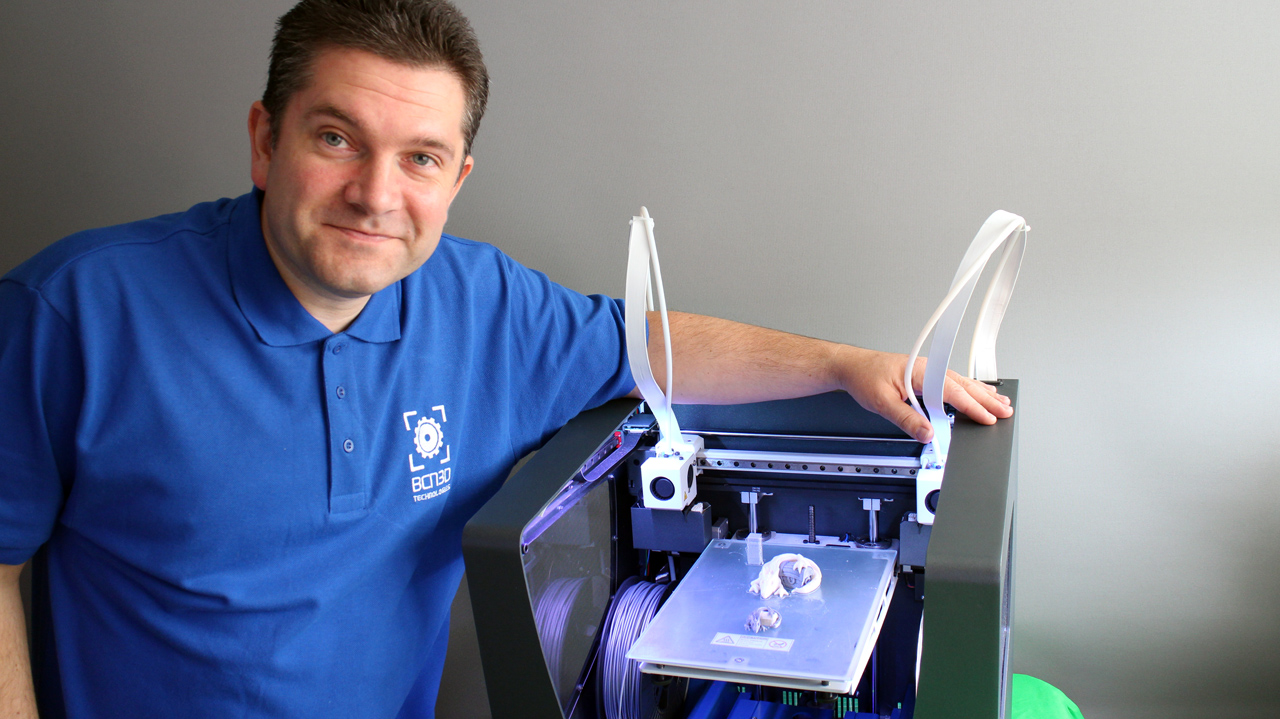
Just to be clear, I don't work for BCN3D - I'm wearing the BCN3D shirt to show support for a really fantastic team and such a well designed 3D Printer. More people need to be aware of BCN3D - they are a serious 3D printing company who have scaled up in every way from their early RepRap roots at the Barcelona University.

For a further back story on the Sigma and information about BCN3D Technologies - Do also take a look at my visit to see them earlier on this year over on the DisruptiveMagazine Blog - Parts 1 and 2 - 

Part 1 - http://disruptivemagazine.com/blog/from-reprap-students-to-masters-of-3d-printing-a-spanish-success-story-part-1/

Part 2 - http://disruptivemagazine.com/blog/from-reprap-students-to-masters-of-3d-printing-a-spanish-success-story-part-2/


Above is my introduction video and review of the Sigma - if you are looking for a new or first (or second / 12th ) 3D printer it could be a very good use of 17mins, I hope you find it useful.

It's also over on YouTube here in HD if you prefer.


Solid Aluminium monocoque frame / enclosure


Custom Electronics


Full colour LCD touch screen, with simple to use controls.


Dual independent extruder carriages - allows for perfect dual colour printing, or the use of soluble support materials.


PVA soluble support material


Dual colour printing

In my eyes both the Sigma and BCN3D Technologies have a lot of credibility, they certainly deserve more global awareness on what they are doing and the machines they are manufacturing. 

The Sigma is a great 3D Printer. Value for money and robust. Like all 3D Printers it's not perfect, but for someone that wants 3D Printed parts and is not so interested in tinkering, the Sigma is my solid recommendation of where to spend your money and a company to support. They have a long-term view of 3D printing, Sigma is just the start, and what a machine to start with.

The key message here is that most new users looking for a 3D printer now, will be interested in the 3D Printed parts it makes, not so much with the tinkering or constant upgrading. This is a 3D printer that prints, well and reliably. If you need a production machine, say for running a 3D printing Hub. Sigma is a very good choice indeed.


Thanks for watching and reading, 

See you again very soon for yet another 3D Printer review. Busy October!

Cheers,

Rich.

Monday, 26 January 2015

Stick with it... 3D Printing - Print Bed Coating Materials. Part 1

Hello everyone,

We are looking at 3D print bed surfaces and coatings in this post.

This blog post contains an overview of the more common materials used as a 3D printing build surface. Plenty of tips and advice and we also take a look at a how well a bed coating 'skin' called 3D EeZ performs. And it's also a general call out for any other bed formula's or materials to test or experiment with. I hope you find it useful.


Most aspects of 3D Printing take time and some experimentation to refine what works best, if you already have good solution for the print bed surface, skip down to the end and take a look at how 3D EeZ worked in the test.

Will it stick?
For all the years I have been using home 3D Printers, one fundamental aspect is still causing frustration for new and experienced users alike. The issue here is getting the first layer to stick, then completing a print without unsticking, flying off mid-print or bending (warping) corners on objects.

It's now quite uncommon to have a non heated build platform, unless you choose to do so by turning it off.

One very common solution for printing in PLA, heated or not is blue 3M painters tape (multi-purpose #2090). To be honest this is fantastic for smaller machines like my 3DR design, Tantillus or the new Ultimaker 2 Go.


Have some 3M blue tape handy, it's still a really good solution for many objects and materials.

When printing small (or really tiny) and highly detailed parts, I often opt for blue tape and no heated bed. You can run cooling fans at full power and achieve highly successful and impressive prints.

Blue Painters tape - ideal for detailed tiny printing, using no heated bed.
A sheet of thick (~10mm) acrylic is another common choice when not using a heated bed, just be careful not to drive the nozzle into the surface as it will melt.

If you need to print bigger parts over ~100mm+ wide then a heated bed will help keep things flat and limit edge curl up on parts.

For PLA, PET and various filled/mixed materials (WoodFill / BrassFill etc.) you can often just use a clean sheet of glass as a suitable build platform.


Before trying to print anything, do check your nozzle is flat and vertically straight with the build platform. You also need the build surface as level as you can possibly achieve. A low cost mechanical dial shown above can really help get things set up quickly.


Top tip for using plain glass is to keep it clean, remove grease and fingerprints with alcohol or I really recommend window cleaner containing vinegar.

I use mirror glass. Handy sized 200mm x 200mm mirror tiles can be found at ikea (SÖRLI) The mirrored surface helps with checking the first layer is going down well and it heats up fast and evenly.

PLA sticks perfectly well to uncoated clean glass. If all I printed was small(ish) PLA parts,  I would always just use clean glass. The trouble comes when you want to start printing bigger (over about 170mm wide in size) or with other materials.

PVA or glue based washes are also commonly used on top of a heated glass surface. For a few years now I have most often used a 1 part PVA (elmers glue) and 8 parts water solution, it provides an excellent surface for PLA and PET printing.

PVA wash. Apply when bed is cold and leave to fully dry.
PLA being printed on a PVA coated heated glass surface.

Getting the first layer distance correctly set takes some experimentation. After a number of prints you should be able to tell when it's going down well. 


The print above is just on the borderline of being very slightly too close for the first layer. But you are usually better off being slightly compressed than not enough. Just 0.05mm more or less can make a big difference.


And this first print layer above was just slightly too far away from the build platform. 

When you print the first layer, you want to see the perimeter and infill join up, no gaps or plastic riding up in ridges. When you print the second layer, you do not want to see the hot end nozzle ploughing through the first, it should again be nicely layered on top, not digging into the first layer of material.

Gluestick, most brands seem to do a similar job. Mark Durbin kindly brought me back some genuine sticks of Elmers glue from the US. And while I remember Mark has a stunning lithophane generator up here, do check it out.

If mixing up glue and painting it onto your build platform sounds like too much work, you can also use a gluestick. Again applied when cold and leave to dry, I also recommend heating it at 60 degrees C for 30 mins before doing the first ever print.

Hairspray is another common choice. Not all brands work, you need to look out for 'extra hold' with ingredients including Vinyl, Acetate and Copolymer. No wonder it holds hair in place.


Hairspray gives a nice mottled surface to the printed object, less shiny than just sheet glass alone. I have had a few materials, like Laybrick & Laywood stick so strongly when using hairspray that the glass cracked trying to remove them, so test out your spray with small prints first.

Hairspray is easily applied and works remarkably well for PLA and PET. It does required frequent reapplication as some will stick to the surface of most printed objects. 

Nylon is a little different.

Tufnol / Garolite is often used as a heated bed surface for Nylon based print materials.


Nylon likes cellulose based fibres, so it will stick to almost anything made from wood, paper, compressed cardboard or impregnated cotton sheets (like Tufnol). The main issue is still massive warping forces as objects are printed, they will rip up or bend cardboard. I found Tufnol to be the best surface for Nylon.

Blue tape and wooden surfaces also work with various degrees of success for Nylon printing. 


A few quick notes on ABS - 

Printing with ABS is a little more tricky. You really can't print without a heated bed, and that wants to be running up at 100+ Degrees C. to get the best results. Only a fully heated chamber really provides the best way to print large ABS parts (over 200mm wide).

ABS just wants to warp and generally curl up, you really only have two choices -

Mechanical grip - 


Often a perforated board (Fibreglass FR4/FR5, shown above) can be used, this will transfer heat and also provide mechanical grip by the first layer (or raft layer) of ABS being forced into the many small holes.

Using this method a sacrificial 'raft' is often printed fist, then the object on top, when printing is finished the raft is peeled off. The raft also helps to minimise warp in the printed object, but objects printed in ABS over 150mm wide will almost always warp or have curled up edges.

The second option, and now the most common is to wipe on a solution of ABS dissolved in Acetone. This is often called ABS Juice, companies like LulzBot provide nice instructions on how to make your own 'LulzJuice', thanks guys.

I recently tested out PEI as a (heated) bed material (sample courtesy of Robox) , this is quite expensive but does work very well with almost all existing thermoplastic materials being used for home 3D Printing today. I highly expect many more 3D printer manufacturers to adopt the use of removable PEI sheets as the next generation build platform, for home and consumer machines.

PEI Sheet - expensive, but performs well.

Now to test 3D EeZ - 

Lets get on to the testing of 3D EeZ. Various materials, stickers, solutions and methods have been tried over the years. Often proving successful with one or two types of 3D print material, but usually not many or all.

Before Christmas, Tony Gaston mentioned he had a new paint-on 'skin' for 3D printer platforms.
It's not an 'open formula' and I still don't know what's actually in it, but I was intrigued by the video's and Tony is a nice chap, just trying to get people to try out his product, so decided to try it out.

Having to import the solution into the UK took some time and proved costly to get hold of, but anyone in the US should now be able to get it quite quickly to test out. I was unsure if it would work better than other home made solutions, but why not give it a test.

My existing heated bed - 

This is what my typical mirror glass build surface looks like, this particular one has a mix of PVA wash, gluestick and some hairspray for surface 'repair'. It would have printed around 100 objects to end up looking like this, and it still works fine for most materials apart from ABS and it's limited to small sized Nylon parts only. 


It's very easy to clean in a little warm water, this is an Ikea mirror cut to size. ~410mm x ~205mm and it's 3mm thick glass.


It's very thick but easy to apply, just wipe on using the sponge brush. Tony is working on a better applicators and an easier to handle container.

It's recommended to apply three layers, most recently I have dropped down to just two, but for all the testing below I had three layers of 3D EeZ - applied in opposite directions, across, up/down, and across. Each coat is applied cold and heated at 60 degrees C until it dried, about 10 mins.

It smells a little like glue, but you soon realise it's not just PVA in this mix.


My first print was just a few tiny cubes (10mm tall) in PLA with a 'brim' (skirt) to test how well it would stick. Normally after printing a PLA part I would knock them off, sometimes before the temperature of the heated bed dropped too low, so I could start another print quickly. That was not going to happen with 3D EeZ.

If you look closely at the picture above, you can see where I tried to pull off the front printed tower, I could not move it, and when I used a pair of pliers I was concerned about breaking the glass. But it did finally come off and bubbled the 3D EeZ coating. First print, first damage, not good, but it was my fault. (I think).

I decided to wait until the temperature dropped. It was a cold day and at 18 degrees C ambient the other two snapped off firmly but without any damage to the surface or part. I realised you must wait for the temperature to drop before attempting to remove the parts.

I would also later work out that it can be too cold with 3D EeZ, see later on below.

At this point I was concerned that if I printed anything too big it would simply not come off of the build surface. But don't worry that's not the case, Just don't use the brim (skirt) function for anything.


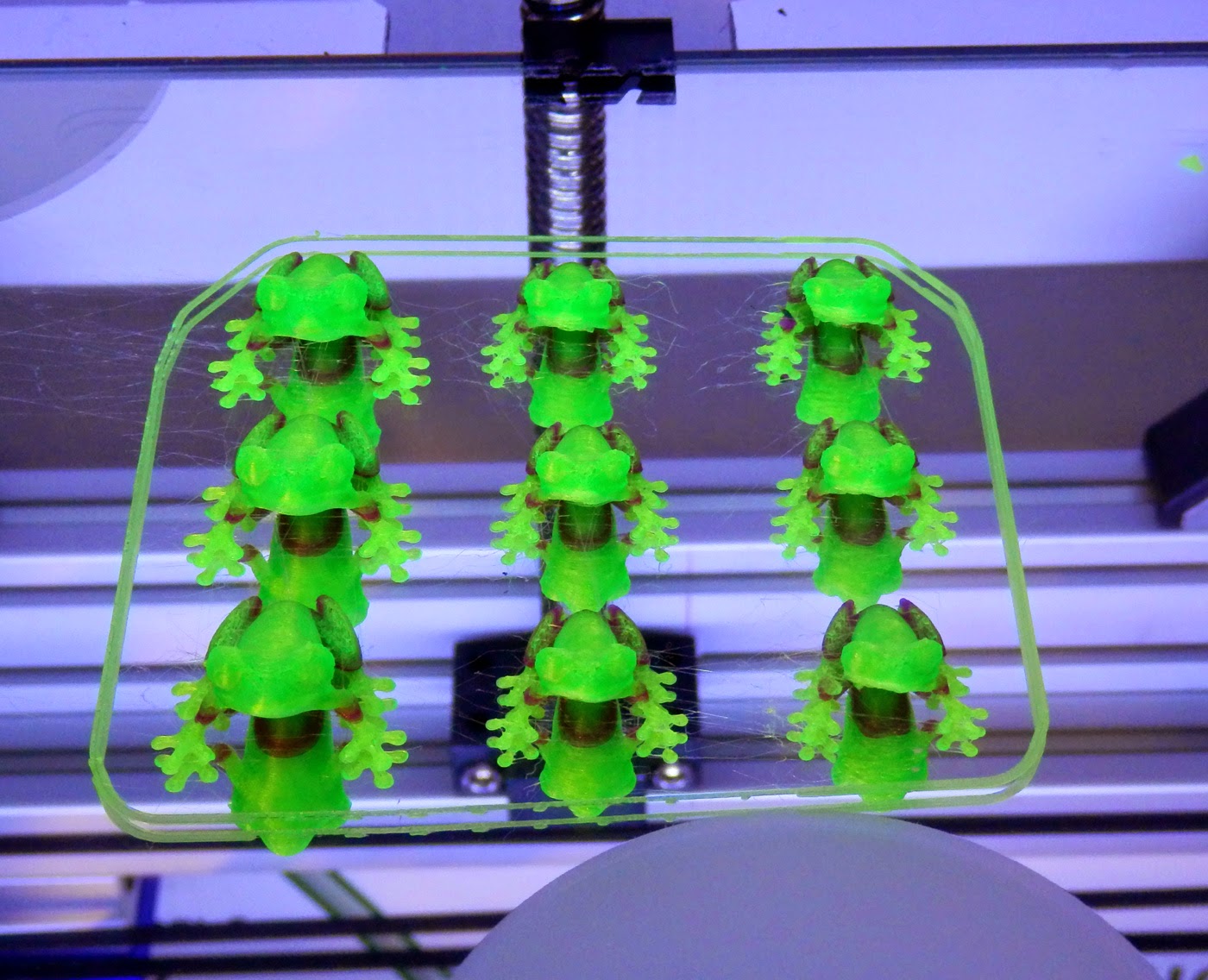
I printed various smaller parts (ok, lots of test tree frogs) in PLA, Ninjaflex, Filaflex, Bridge Nylon, Polywood and three different types of PET... And ABS too! All worked, well.


Tree frog Ninjaflex, he is quite tricky to print at the best of times in rubber, but stuck, printed and peeled off perfectly.


I didn't expect Nylon to stick, but it's actually really good.


Bridge Nylon sticks really well (almost too well), above you can see some signs of what looks like damage, but a wipe over with wet sponge and this disappears. Ignore the obvious surface damage in the middle, this was the forced 'hot removal' of the very first print tower. Again it was 'repaired' with a spot of water.


At some point printing different materials (and many more frogs) I didn't wait for the bed temperature to drop, and further damage was sustained to the surface. At this point I decided to work out what the ideal removal temperature was. It turns out that it's around 28 degrees C for most materials I tested. I believe the 3D EeZ coating changes from a semi-flexible surface to a more solid film at around ~40 Degrees C. But that's just from observation during use.

If you leave the printed part on the build platform and let it cool completely, it actually seems harder to remove than at around 28 Degrees C. I found that you can heat up a cooled bed to 40 and let it drop back to 28 for much easier removal of any stubborn parts you have let get too cold.

I now have my end of Gcode set to drop down to 28 degrees C at the end of a print making removal much easier.


It's quite easy to repair the surface, you just drip and smooth on more of the 3D EeZ solution into any damaged areas. After discovering the ideal removal temperature and repair, I managed around another 120 prints all without any further significant damage to the coating. I found a sponge wash over of water every 40 or so prints helped refresh the surface.


Getting bigger (Aria the Dragon)


And bigger - dolls furniture 


And for a really interesting test, the beautiful Astrolabe Tree Ornament by Don Foley


These rings just pop off with a normal scraper when the bed is around 28 degrees C.


Here you can see the nice matt finish you get on the underside of the print, this is particularly nice as it helps to make it look just like the other surfaces. Using just glass you get a very shiny base that can often look out of place.

The shadow rings you can see in the background will lessen next time the bed is heated, or a wipe of a wet sponge seems to help make them vanish.

I have also successfully tested ColorFabb WoodFill, BronzeFill, CopperFill and GlowFill, they all print perfectly and can be easily removed without damage to the surface coating.


I printed out bigger and more complex parts, all without the need of any form of 'brim' or skirting option.


I ended up printing a pot that filled the entire build platform, the only way to go any bigger is on my 3DRmega as soon as I find more time to pick that project up again.

The bigger parts were also quite interesting, as when they cooled some popped off the platform themselves, some had an edge stick but generally the bigger the part the easier it was to remove.

Does it last forever?

After around 120 prints I notice a slight yellowing of the surface.
No. For me when it starts to yellow and I can no longer revive it with a splash of water, it's time to change the coating. At this point parts were starting to stick much more strongly than before and clear ridges were visible on the surface.


It's very easy to remove, just soak in water and it will peel off. These sheets when dry feel quite different to dried PVA, they crackle and feel more crisp. They are flexible, strong and not brittle.

You can't apply it to every surface -  

That leads me on to one last bit of advice if you try out 3D EeZ - do not apply it to Kapton or PET Taped bed surfaces. You can print once, but it cracks and lifts off the surface. This makes sense really, it's just like having a PET printed part stuck to it.

I tested the material at bed temperatures from 30 Degrees C to 120 Degrees C with almost all the materials I had.

Like I said above even ABS sticks to it without a brim. I didn't print big in ABS, so that's one to do next time.

I sent over lots of feedback to Tony, he planned to tweak the formula, and try to get more manufactured as soon as possible. If he can get the volumes up and make it low cost, maybe more people can benefit.

If you are interested, Tony is also looking out for distributors in Europe/UK he is planning a launch soon.

I'm going to call this part one, as I do also intend to look at other solutions and surfaces now also becoming available. If you have any experiences of materials or coatings, want to share a great formula or have questions, do get in contact or leave a message below.

I hope that was useful and you get a chance to try out 3D EeZ at some point, it's a very interesting formulation, I wish Tony success with it.

Until next time.

Rich.