Tuesday, 23 August 2011

High power hot-end for fast printing - dual resistor & easier thermistor


This is the first of a few new hot-end designs I have been testing, I mounted it to my new ‘Bling’ machine for some speed and temperature testing, it’s performing well, here is how I made it - 


I decided to try a new shape for the heater block, normally you want a low profile block with a short hot-zone, but I specifically wanted to try a triangular shaped block for a number of reasons / goals - 
  • I wanted to mount 2 x Resistor heating elements in the block so a wide base made this easy.
  • I wanted to try a longer heating zone to see how fast I could extrude.
  • Triangle gives smaller mass at the top, hopefully to reduce oozing due to the longer heating-zone.
  • I wanted to be able to easily wrap the block in PTFE sheet, a triangle gives a easy to wrap shape and is insulated at the top with two thickness of PTFE.
  • For the future I want to be able to extrude fast @ 300 degrees C with less than a 4 degrees C temperature drop while printing solid layers.

Next I REALLY wanted to switch away from using the tiny dipped thermistors the size of pixi-dust with ultra thin connecting wires, they are such a pain to use and don’t really have many plus points apart from the low thermal mass/quick response. I now only use a ‘normal’ Axial style. I can fully recommend doing this, it’s 1000 x easier to build and much less fragile, I also think I get much better temperature reading stability, response time is fine.

Thermistor Type:NTC; Resistance:100kohm; Thermistor Tolerance:± 10%; Beta Value (K):3974K; Operating Temperature Range:-60°C to +300°C;

You can buy them from Farnell -  only £0.25p


I have used 2 x 10ohm Vitreous enamel resistors in parallel; this gives approximately a 5ohm load where you would normally use a single 6.8ohm resistor.
The resistors are either side of the nozzle, giving nice constant heating.
The axial thermistor is slightly above the resistors and is just touching the side of the nozzle barrel, this placement gives me a quite constant 3 degrees C lower reading than the inside of the nozzle throughout the temperature range, which is fine.
Wrap the thermistor body and legs in Kapton to insulate.

Use Aluminum foil or tape around the Resistor body, it should be a good tight fit in the block. 

All in place and secured with Fire cement.

The part make-up looks like this. (Ignore the PTFE washers; I didn’t use these in the end).

I also wrapped the heating block in a strip of 0.5mm PTFE sheet.

Still using PEEK in this design, I expect to remove this part in the next version.

All wired up using high temperature heat-shrink and silicon coated wires.
And assembled.
I added a small heatsink, but I doubt this is really required.


The PEEK block is only luke-warm to the touch even after 4+ hours of printing – Note I am using a small 40mm directional fan aimed at the PTFE.
I will do some more tests to see if I can switch off this fan and still keep a cool cold-end.

My Fan-duct for Greg's Linear bearing X Carriage is on Thingiverse here.

It’s printed just over 2Kg of material so far at ~160mm/Sec and it’s performing well; I’m really happy with it. All of the multicoloured Faberdashery printing in my previous blog update was done with this setup along with some ABS parts and build sheets.

I have not yet found an upper speed limit as I need to do more testing, but it manages to print PLA at 180mm/sec with only a 2 degrees C drop in temperature when doing whole build-plates of full infill layers.

I will be testing ABS more extensively with it over the next week and seeing how fast I can get it working with different materials.

My main observation now is that you do need to run this style of hot-end at a minimum of 80mm/sec, and I need a 1.5mm extruder reverse to make sure oozing is not a problem. At speeds lower than 60mm/sec it’s better to use a smaller heating zone/block.

Next time I will still use a triangular block but make it slightly smaller overall and a little shorter.

Thanks for looking, I would be really interested in any comments or opinions on high-speed printing and hot-ends designed for speed and also high (290+ temperature) - you'll see why in a future post....

Rich.


Tuesday, 16 August 2011

A splash of British colour - Faberdashery PLA experiments

I have been using Faberdashery PLA for the last week and I’m really impressed with it, here are a few things it inspired me to design and print along with some testing results and observations using the filament with my Prusa Mendel printers.

Faberdashery are UK based and their wide range of coloured PLA is manufactured in the UK. They sell by the meter instead of by weight so you can choose as much or as little as you need.


A great way to experience the range is with a Rainbow fun pack
In the Rainbow pack you get 10 beautiful colours, they also have Gold, Silver, and Black, White and others by the meter or 100 m coils. 
No natural/clear PLA is available yet, but maybe they will stock it in the future.

The first great thing about the filament is the great range of Opaque colours, usually PLA is transparent with just a suggestion of colour. I do like the nice solid colours from Faberdashery, they look more like ABS but without the nasty smell or the warp.

The way it’s delivered and packed is great and it feels like you are getting some care and individual attention for your order. The only thing I would like to see in the future is the filament bags heat-sealed maybe with some desiccant for moisture absorbsion, but I expect most of us will use is straight away as soon as we get it.

I finished almost the whole box in 4 evenings flat!

Dimensions of the filament are very good, round and the minimum I measured was 2.74mm and the maximum 2.89mm. All my models were sliced for 2.85mm Filament and I did not need to re-slice for change in colour so having this tolerance is very good when you are doing multicolour filament joining.

The Filament Polymer type is 4043D, recommended temperature of 160Deg C to 220 Deg C, I found the higher end was required for faster printing.

With all these great colours I decided on a Rainbow and after not finding one on Thingiverse I made my own in Sketchup.

It was not just designed to look pretty as I added lots of sections for filament bridging and thin layers for colour change. Skeinforge finds bridging on curves hard as it decided on an angle for the direction of bridge and does the whole section the same angle, so at points along the curve filament is going straight into the gap, this makes it a hard test especially when done at high speed, that’s why you can see a few gaps and dips in the model surface. I could make it look much better with a different Rainbow design but this was testing how the filament would perform on my Prusa Mendel ‘Bling’ machine.

These are the sections of coloured filament you need for the rainbow, it's about 3.5M it total - and Note the correct length of cream filament above, more on that below as I made a mistake in the joining process...
The red length is longer than it needs to be for 'overrun'

I did mess up with the filament joining, as you can see from the printed Rainbow picture above the Red covers 3 bows and mixes Orange, this was simply an incorrect length of Cream filament right after the First White colour, I had cut the correct length of cream as you can see in the photo above, but I joined a off-cut of 12cm rather than the correct length of 37cm :(

The cream should have been where the Pink is and so on, this would have also made light blue in the correct place etc. when I get more filament I’ll try again with the correct lengths and I’ll have a better Rainbow.

Underside of the rainbow, - Note the filament bridging test.
On the back you can see the Cream, it’s in the infill section of the Pink Bridging colour, if it would have been the correct length it would also have been on top.

The rainbow and all the objects here were printed at 120mm/sec Feed/Flow and 200mm/sec Travel speed, 0.5mm Nozzle and 0.3mm layer with 1.5 WOT, no slowing down even on the bridging, just full speed apart from the first layer down and perimeter were done at 60mm/sec.

Take a look at the below videos of the Rainbow print, you can see how the filament is extruding for yourself.

Rainbow files on Thingiveres Here - 

With the multicoloured Heart box I tried a different method to combine colours, along with the joined coloured  filaments I also designed cut-out sections and objects to fit into the voids, after printing these separately these were heated with a hot-air gun and pushed into the spaces, this was not as easy as I had expected due to the fact I made them sized to fit, really they need to be slightly smaller as they would be so much easier to join when warm and soft. 
I’ll try this method again, but similar results could be achieved just with filament joining.


 This round of colour printing also convinced me that you need at least 2 layers to make a good colour change as you can see in the above Purple top-colour and the 'A' below.


Next time I'll make the colour change 2 layers, this would make it nice and solid.

Youtube Video of the printing.
Heart Box files on thingiverse Here - 

I have wanted to print a old fashioned working fan, again I didn’t find one of thingiverse, so I designed a simple one that you can print out in whatever colours you like and fit the sections together.

Simple Sketchup design, each blade is the same. 


The hinge pin is a section of 3mm filament, just melted at each end to hold it in place. The sliding tabs are also fitted in place with melted tops to hold it all together.

Fan design files on Thingiverse here - 

Temperature testing -

This is a good video to show the speed and how smooth the filament is going down - first layer is at 60mm/sec


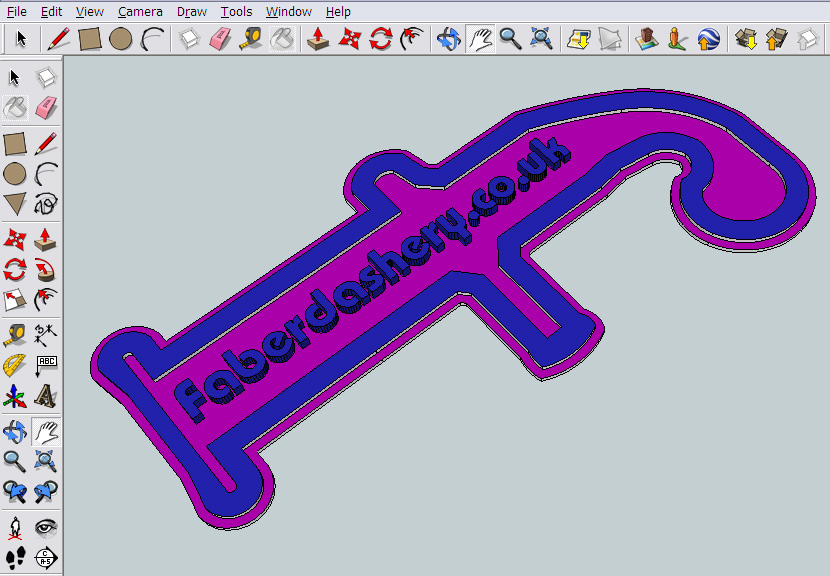
Using the different colours I discovered that a good temperature for extrusion and a Glossy print is 205 Degrees C and if you want a Matt effect (especially on the Dark Blue and Purple) raising the temperature above 215 Degrees C (See the close-up of the Faberdashery F logo below for an example).

Matt effects can be achieved running the filament at 215 - 220 Degrees C.

Simple two colour print test

My next machine - A very British Mendel - 

3 Colour Red, White and Blue printing.


It's always nice to see community suppliers manufacture in their home country so I could not think of a better way to say 'MADE IN THE UK' than a very British Red, White and Blue Mendel. 

I'll order some more filament and my 3rd Prusa Machine will be made in this Fabtastic 3 colour scheme.

Thanks Faberdashery, keep up the good work and give us all even more great colours to play with.


I will be doing a 'Big PLA Review' shortly, with print comparison and destruction testing from as many suppliers as I can order product from. It should be a good reference point for anyone looking to buy PLA for 3D printing. Stay tuned for updates on this, I hope to include, UK, Europe, US/Canada and Chinese suppliers.

Thanks for looking and please leave a comment.

Rich.


Tuesday, 19 July 2011

1st Prusa Child & issues with ABS printing

I have been printing with the Bath Prusa Mendel for 2 weeks now. It’s been a good learning process along with discovering more things about Skeinforge, high speed printing, hot-ends, and using ABS.
I now feel comfortable about the tool-chain and using the Prusa Mendel along with some of its limits, so I can now try a few more adventurous things in the coming weeks.


Below are some of things I have printed so far, and the issues I had along the way.

PLA works well, I have used 4 different types from 3 different suppliers, and they all have a slightly different extruding temperature and flow differently.

Just as I was getting to the end of the White PLA I had a hot-end failure jam, the nozzle was flexing down and catching on objects, on closer inspection the PTFE had split around the top and the PLA was jamming in the barrel.

I replaced the split PTFE and also the Hobbed bolt as I was getting slipping and inconsistent feed
 No change in spring tension or cleaning of the teeth seemed to fix it.

The White PLA from Adrian was used up printing upgrades, spares and experimenting with speed.
First upgrade was the Prusa Z Rod Constraint by ScribbleJ shown above.
And a few of my own 8mm T-slot mounting blocks as I needed some for my other machine.


I then switched to Gold PLA and started to print a full set of upgraded Prusa parts.

This included the new Prusa Z Axis using LM8UU Linear bearings.

And Greg frost’s LM8UU X Axis and Y Holders for Linear bearings.


So after the first week I had managed to get it working well and print these.

I decided on Andrew dent’s MV6 frame and foot vertex pieces as I like the look of them and they are a little fatter than the official Prusa ones.


I was getting confident at this point and even did my first print using multiply in Skeinforge to get me 9 x M8 bar mounts printed in one go.

I printed a few fun things to keep my princess happy –
This is one of the exceptional Heart bracelets by MakeALot

And a 1.8 X scaled version of the Princess Heart Crown by syvwlch

So a few days later I had the first child set of Prusa Mendel parts I decided to name ‘Mendel-Bling’ for building up my next machine. 


At the weekend I decided to experiment with ABS. It’s the material I first started with on my original repstrap back last September and I was expecting it to be easier than PLA… it was not, but maybe that was my unfortunate choice of colour.
Sunglasses on, it really is that PINK.


As it was looking quite hard to get this ABS extruding I decided that my first ABS print should be another extruder, that was a good choice as shortly after printing this the PLA extruder melted.
It’s good that I had an ABS X carriage or that would have melted also.

Extruder replaced. Still using PLA gears for good wear resistance.

When printing with the Pink ABS it needs 263 degrees C to extrude, I’m running it at 270 because of the following issue. - At 80mm/sec and 30% infill the Hot-end power is on 95% of the time and that quickly goes to 100% when doing solid infill layers while the temperature also drops 8-10 degrees, that’s right on the limit of the power I can get into the material with this particular hot-end, any faster and the extruder will jam and grind through the filament as the temperature drops too much.

Take a look at this short video of a Pink print below, the hot ABS comes out looking slightly Purple and as it cools turns back to Pink, it’s really cool watching it print especially doing solid infill, this is my first coloured ABS so I don’t know if they all do that?


With Natural ABS I still see a temperature drop at 80mm/sec but not as much while the extruding at a lower (230) temperature.

So really I should slow down the ABS speed to be safe and then build a better hot-end that can deliver more power quickly into the filament so I can speed things up again.

I don’t see this temperature problem with PLA, but I have only gone upto 100mm/sec at the moment, I’ll wait until I have my Linear Bearing Prusa (Mendel-Bling) before going any faster.


I have a puzzle to build up tonight, the Heart Gears by emmett

Thanks for reading,

Rich.