Tuesday, 19 December 2017

Christmas Advent 3D Printing #Day 18 Advice using E3D Acrylic (PMMA)

December advent calendar - modular Christmas tree
3D Printing advice #Day 18

For the background and introduction - Day #1 Post click here

Last time - For Day #16 (Christmas 'Unicorn' Poop Emoji) was printed using a collection of Polyalchemy Elixir colours.

Christmas Advent 2017 Download on Thingiverse here - designed by Tom Van den Bon  With some help for each day by the South African Makers team.


It's time for Day #18

Day 18 gift is designed by Tom Van den Bon -  Is a Popsicle (Ice lolly / Ice-pop)


Ice-Pop printed in E3D Acrylic (PMMA) filament (with a light cream PLA stick)


I bought my Acrylic filaments from E3D, they don't seem to have it in stock at the moment, but I could see it fitting into their range in the future. I would not quite put it in the 'here be dragons' section, but it is tricky to use.

Acrylic (PMMA) is not an easy material to 3D Print. Just try to look for it, it's not made by many manufacturers, and not many people report on using it.


Big 1Kg rolls - need to be kept airtight and away from sunlight.


Acrylic is however a very stiff, impact-resistant, strong and resilient material to use for many applications.

Firstly, Acrylic will warp like ABS, you need a heated bed running at 105 Degrees C.


I purposely used a lower printing temperature (see advice below) for a frosted look to my Ice-Pop.

Next you can't print onto a normal PEI surface, even with gluestick or Magigoo applied.
It will not stick to PET or Kapton tapes, ABS likes these, Acrylic does not.


The secret to successful 3D Acrylic printing is to use a heated blue tape build surface.
The only surface I have found to work well for printing Acrylic parts, both small and medium-big sized objects is 3M blue masking tape. You must still use a 105 Degrees C heated surface with blue tape.


Always use a super-sized Brim for printing with Acrylic - regardless of size.

The next thing you really need to do with all parts, regardless of size is to have a good brim on the first layer (see above image). I used a 4mm brim on this small object, no warping or de-lamination.


Day 18 tree section is printed in Polyalchemy Elixir.


Print advice - (Acrylic - PMMA)

What settings did you use? - Acrylic is probably one of the trickiest materials you are likely to use. (unless you get a particularly naughty Nylon) It's really not a material you can just pop in any 3D printer and use all that easy.


But I do really like using it for 'special' objects. So if you do give it a go, here are some tips and advice - 
  • You will need a pinch of salt
  • 100g of flour
  • 1-3 hippopotamus  - to taste...
  • 3M Blue masking tape (it will not print on most other surfaces)
  • Must use a heated bed 105 Degrees C (or 110 if you can get that high)
  • 140% width on first layer
  • First layer speed set to 35% of normal print speed.
  • 3 perimeter (shells)
  • Over 20% infill level on most parts unless you are doing 'spiral vase mode'.
  • 270 Degrees C first layer.
  • 250 Degrees C all other layers - for a frosted-acrylic look.
  • 265 Degrees C all other layers - for a more clear look.
  • 272 Degrees C for spiral vase mode - most clear
  • Fans off for first 4-6-8 layers depending on layer height (0.1 / 0.2/ 0.3)
  • Fan at 55% max for printing (normal 25%)
  • Always use BRIM, and make it around +5mm even for printing small parts.
  • Print at ~35mm/sec print speed - for everything apart from support structures & first layer
  • Try not to use support. It's just asking for trouble.
  • All other settings - just as per normal PLA
Why use it? - It's a very tough material. You can further work, sand, drill etc. very, very flexible and strong. Recreus also now make different grades of soft and super-soft materials, so now you have even more choice.

Is it strong? - Yes, but when 3D printed it has a weaker inter-layer bond. You can help the bond with high printing temperatures and slower speeds, but this is it's weakness.

Is it easy to use/print - No it's not. But don;t let that stop you from getting hold of a sample to try, it is really good for some objects - dolls house windows, strong vase / bust style models.

Do you have to dry it before/after use? - Yes/No - it should be good from the sealed pack, but keep it dry, and away from sunlight. Dry if required - if it's still frosty even at +270 Degrees C.

Do i need a 'special' nozzle? - No it's not abrasive at all.

Does it smell when printing? - Yes, it smells of acrylic :) - Just like cutting a sheet of 'perspex' (Acrylic) using a jig-saw - it's smells just like that (not all that nice, but only a light odour)

Does it come on a eco friendly spool? - No :( They are generic plastic PS spools...

Conclusion for E3D Acrylic- I hope E3D decide to stock this again, I want to carry on using it for projects. Acrylic is great for printing dolls furniture, or other model parts. It's harder to use than (for example - PET based materials). If you can handle printing in Nylon, you should be able to use Acrylic.

Days 1 to 18 of the Advent Christmas Tree.

Day #18 is completed. 

Today's story is going to be about Kacie Hultgren (Pretty Small Things) I always think of Kacie when Acrylic is discussed. Kacie designs, makes and sells the most amazing period dolls house furniture you are likely to see (many are printed and sold in Acrylic). 

I have talked at various 3D printing shows about Kacie's work and her story. From self training in 3D design, to using Makerbot 3D printers, and running a successful 3D printing business, Kacie is one of the early pioneers who captured 3D printing to help do what you love. I have no direct interest in dolls furniture, but I do really enjoy telling people about such a talented designer.


Join me next time for Day #19

Thanks for reading.

Rich.

Please join me on Twitter @RichRap3D

My profile and posts over on Google+

Files and designs shared on YouMagine

Files and designs shared on GitHub

Files and designs shared on Repables 

My Youtube channel is here, all 3D Printing and Hi-Def video content.

Monday, 18 December 2017

Christmas Advent 3D Printing #Day 17 Advice for making reference test prints using a Polyalchemy Elixir sample pack

December advent calendar - modular Christmas tree
3D Printing advice #Day 17

For the background and introduction - Day #1 Post click here

Christmas Advent 2017 Download on Thingiverse here - designed by Tom Van den Bon  With some help for each day by the South African Makers team.


Day 17 gift is designed by Shaun Nadan -  It's a Christmas Poo Emoji.


I really didn't want to print this in a brown coloured material. I contemplated gold, but I don't have any, so I turned the Christmas Poo, into a Christmas 'Unicorn Poo' Emoji instead.

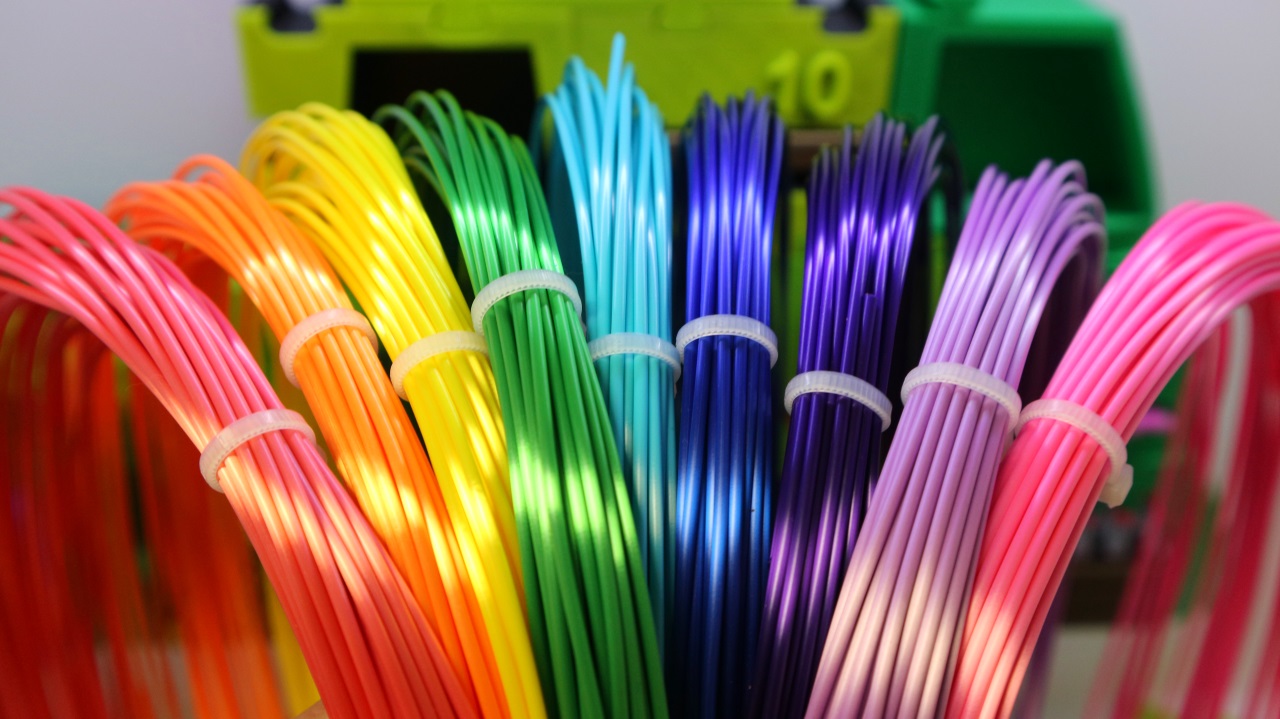
This is what a Polyalchemy Elixir sample kit could look like. (not all colours available)

As I recently discussed the need for material samples in Day 15, I decided this poop emoji was a good advent gift to demonstrate the sort of thing a user could do with a sample materials / colour pack from a filament manufacturer. Also look at Day 4 Lollipop - that was a Faberdashery sample pack.

What could you make with a sample kit like this?

I'm delighted to say I have already had some messages and questions from manufacturers about the need for samples packs. Some have now decided to start introducing them in early 2018. Keep an eye out.

If you are a 3D printing filament manufacturer, why not offer sample packs for sale? And how about a competition for anyone using a sample pack in an interesting or innovative way... over to you.

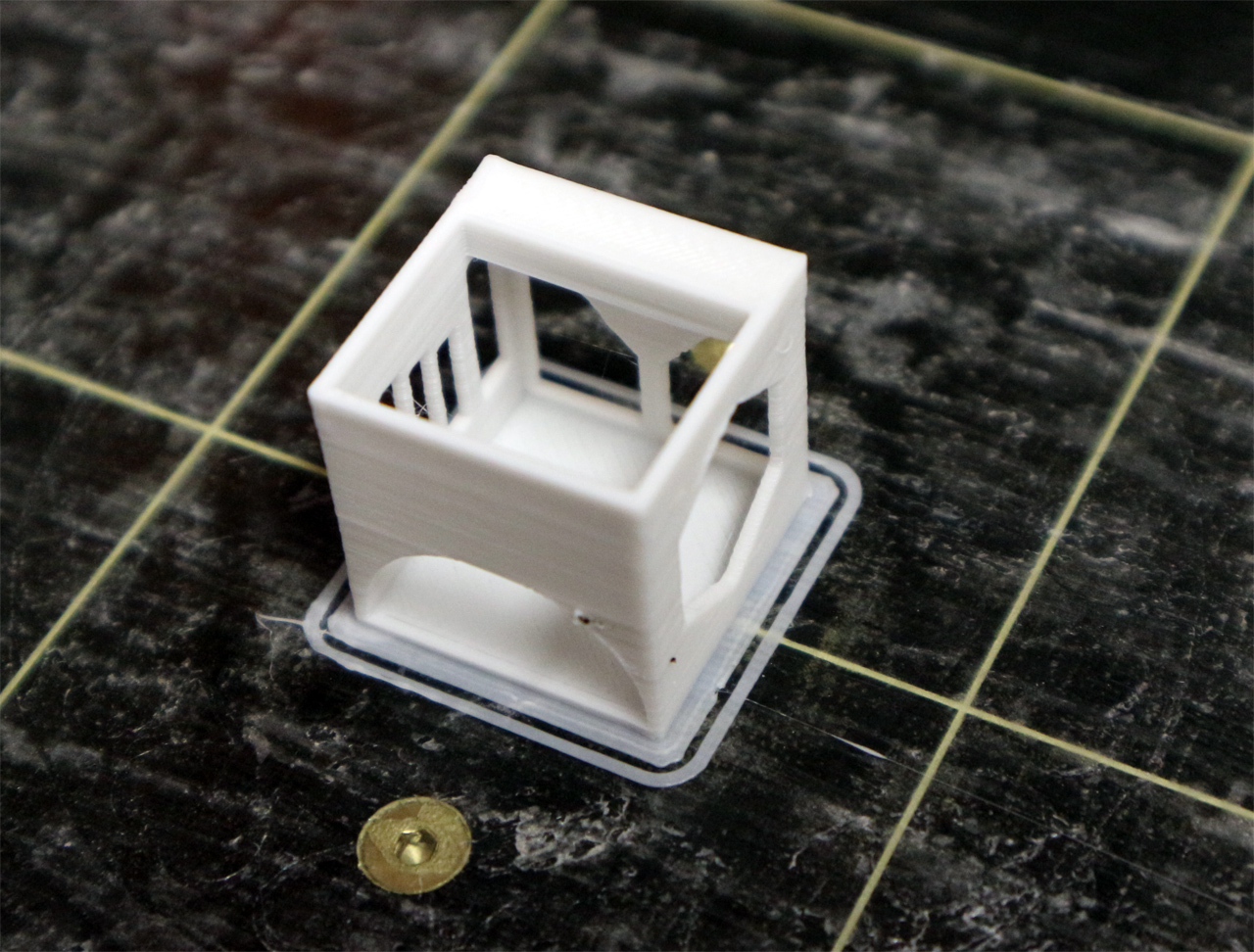
My calibration 'chip'

I'm also going to take advantage of this post to talk about printing out sample test objects. Printing a sample object in a new material, or different colour can be a useful way to check what a material looks like, and also how it performs. 

Cubes and small complex objects are often used to check a 3D printer.

Above is my test set for checking, warp, de-lamination, flex, break and twist of a 3D print material.

The 3D Benchy designed by Swedish designer Daniel NorĂ©e @DanielNoree ,
is often used by people to test out a new material, or as a way to check a 3D printer is operating well.

I have only ever printed out around two or three 3D Benchy's. I really don't have the room to keep a whole fleet of them, and I don't find it completely useful as a material sample. It's great at testing a new printer / nozzle / hot-end / extruder setup.

The test 'chips' above allow you to see opacity, and various fine features of a material print.

I have made my own 'materials test chip' to print out, store and use as a reference for material and machine / setup capability. You can get the test object, along with some other useful test parts from My Youmagine page here.

Being able to check a mechanical part can fit, is useful.

I also designed the 'chip' to allow a short section of Filament (both 1.75 and 2.85mm) to be inserted and stored with the test print. 

Back to the Poop...
Bringing this right back around to 'unicorn poo', I guess a multi-coloured poop emoji is a valid way to demonstrate a materials range, and keep as a reference print. It's at least a good talking point.
I'm just using the M600 Gcode command to switch filaments at regular Z height intervals.

Day 17 completed - with added googly eyes.

Print advice - (What makes a good material test sample)

Why can't I just use a 3D Benchy? - You can if you like. But I like to be able to check opacity, colour, fine details, and surface finish. I also need to be able to store them in an easy way.

Why print test objects anyway? - Well you have to test something when you get a new material. It usually takes a few goes to dial in the correct slicing, temperature and flow settings. A good test object should help you do that.

How can you test the strength of a material with a print sample? - The easy way is to first check the raw filament strength. Do this by bending first slowly, and then a quick snap. You should also be able to feel, the sort of plastic it is, hard, 'chewy' soft, stretchy.

Bending filament will only give you a first insight into the material. The material may also change state from amorphous to a crystalline structure after heating. A filament can go into your hot-end 'chewy' and come out like glass.

I also print off a number of 'dog bones' see images above, to allow me to test each sample in a home made jig. I can twist, snap, bend, impact and pull these samples apart, to gain a better indication of strength after printing.

Any other advice?- Yes, try out different test objects. Over the years all manner of test objects have become useful for all sorts of things. One really great object is the Hollow calibration pyramid found here. this object was one of the first things I used to setup and tune early 3D printer developments. If you can print this object well in every material you have, congratulations you are getting somewhere.


Days 1 to 17 of the Advent Christmas Tree.

Day #17 is completed. We had family star-wars day today, the last Jedi is really a rather good film.

Today's story can be about shiny unicorn poop? or maybe the importance of a good test object...

Join me next time for Day #18

Thanks for reading.

Rich.

Please join me on Twitter @RichRap3D

My profile and posts over on Google+

Files and designs shared on YouMagine

Files and designs shared on GitHub

Files and designs shared on Repables 

My Youtube channel is here, all 3D Printing and Hi-Def video content.

Sunday, 17 December 2017

Christmas Advent 3D Printing #Day 16 Advice using Recreus FilaFlex elastic TPU

December advent calendar - modular Christmas tree
3D Printing advice #Day 16

For the background and introduction - Day #1 Post click here

Christmas Advent 2017 Download on Thingiverse here - designed by Tom Van den Bon  With some help for each day by the South African Makers team.


It's time for Day #16

Day 16 gift is designed by Candice Howe -  Is 'mistletoe' - but it's actually holly :)


Holly ;) printed in Filaflex green and red flexible TPU filament. Day 16 tree in Polyalchemy Elixir.

 I was holding out for a good gift to use a flexible material, and this is as close as I can get for now.

 Just in case we don't get any other models that lend themselves to flexi-filament, here we go.

Filaflex filament in wonderful colours - it's a really great material to have around for any bendy projects.

Filaflex is my go-to flexible material - I really enjoy using it for so many great reasons.

TPU/TPE is also resistant to many chemicals and has very good wear resistance. If you want to make a living hinge, or a flexible 'anything' then Filaflex or a similar TPU/TPE material is the one to look out for.

You can use Filaflex for mold making (casting things like sugar, soap, chocolate) I made a Deathstar mold here also used it for making a long-lost chocolate bar mold here 

On to Day 16 - 

Is it mistletoe or holly?

Mistletoe has long rounded leaves and white berries, holly has sharp leaves and red berries.

It's holly. So I'm printing it in Green and red.

Super flexible and strong, you really can't tear this material or break it with your bear hands.

TPU is a wonderful material, especially to use in a 3D printer. It's by far able to produce models that are almost impossible to break apart - even on layer lines. Inter-layer bonding is 'amazing strong'!

You can even make things like shock-mount Tablet PC cases for kids.


Tap washers, motor shock-mounts, gaskets, flexible insoles, finger tips for robots, hinges for boxes and many soft finishes for products - Some of the most useful and long-lasting 'active parts' I have 3D Printed are made in Filaflex.

It's also possible to print with Filaflex directly onto fabric (t-shirts are popular) - you simply need to have a 3D printer without a moving bed, then lay across the fabric / t-shirt. When you print, do it a little distance away from the cloth, and pump up the print temperature, so it's almost a liquid (+260/275). then drop the temp back to a ~244 Degrees C level to complete the print.


Print advice - (Recreus FilaFlex elastic TPU)

What settings did you use? - I'll give you my best settings and tips for using Filaflex, but do be aware that it's such a soft material, every extruder - hot-end and printer is going to be slightly different.

If you look closely at the above image you will see a green 1.75mm Filaflex filament in the middle. This solid aluminium extruder block has a hole running down the middle for the soft Filaflex filament. The left hole is for the filament drive wheel, the slot on the right is a for a bearing idler. This is just about the perfect drive system for soft filaments like Filaflex.

Recreus also make their own extruder and hot-end systems for using Filaflex. I have used an older version, they are now at Version 3 - see here for more details.

Ideally you need a very short distance between the extruder drive gear and the end of the nozzle. If possible have the filament constrained all along the extruder-hot-end path.

Note :- do check the size of the filament, it's usually very consistent on a roll, but it can often be slightly under the 'normal' 1.75mm diameter (or 2.85mm average).

I often find a 1.69, 1.71, 1.73 etc. diameter on rolls, for me that seems to be normal, just remember to enter the real diameter in the slicer you are using.

You will need to experiment, but here is how I setup my 3D printers to extrude Filaflex (perfectly). I have spent a lot of time tuning this. YMMV.

  • Under rate the nozzle size a little. I use 0.4mm nozzle, but tell the slicer it's 0.38mm
  • Extrusion multiplier set to 1.03 (+3%)
  • Extruder retraction distance of around 3.8mm
  • Z-hop / Lift set to the print layer height.
  • Minimum of 4 x solid top and bottom layers (at 0.2mm each)
  • 140% width on first layer
  • First layer speed set to 55% of normal print speed.
  • 3 perimeter (shells)
  • Normally a 24% infill level on most parts.
  • 246 Degrees C first layer
  • 244 Degrees C all other layers
  • No heated bed.
  • Print at 38mm/sec print speed - for everything apart from support structures & first layer
  • Avoid crossing outline for travel moves (really important) keep the tool-head inside the model.
  • Experiment with Fan usage - I use 30% fan for most - only 100% for bridging.
  • Do NOT print directly onto a Buidtack print surface unless you want that part to be forever embedded into it...
  • Print on blue tape or with an interface layer of some description / glue / spray / magigoo. 
Good luck, it is awesome when/if you get it dialled into your 3D printer.


Why use it? - It's very, very flexible and strong. Recreus also now make different grades of soft and super-soft materials, so now you have even more choice.

Is it strong? - It can be stretched many times it's own length without breaking, stronger than rubber-bands. Layer bonding is insane, you can't really use self support material as you will never remove it.

Is it easy to use/print - With a good extruder and hot-end combination, yes it's really easy to use. with a 'bad' combination or in some bowden systems, especially 1.75mm, it's a total nightmare and can even be impossible to use.

You can however use the 2.85mm version in a bowden setup. I have used Filaflex in the BCN3D Sigma with very good results.

Do you have to dry it before/after use? - No - it's good as it is. I have never had to dry Filaflex. it's one of the most resilient materials in all conditions. I even had a test sample of filament outside for a few weeks, and it printed almost perfectly after a wipe down before use.

Do i need a 'special' nozzle? - No it's not abrasive at all.

Does it smell when printing? - No.

Does it come on a eco friendly spool? - No :(

Conclusion for Recreus Filaflex elastic TPU- I have tried many other flexible filaments, and this is the one I always use for every flexible project. It's just great.

Days 1 to 16 of the Advent Christmas Tree.

Day #16 is completed. My kids decided that so far, their best advent gift days have been Day 4, Day 8, Day 9 and Day 16.

I think the story here is about all the great uses you can have for flexible 3D Printing. You can do a lot of fun things, but it would not be right if I didn't mention projects like the great work eNable and Open-Bionics are doing. If you are not already aware, do please check them out.


One last thing I want to mention is the wonderful Gensole (Insole generator) by Gyrobot. Do give it a look if you are needing insoles, it's fantastic.

Join me next time for Day #17 (It looks like we will have poo, Christmas poo...)

Thanks for reading.

Rich.

Please join me on Twitter @RichRap3D

My profile and posts over on Google+

Files and designs shared on YouMagine

Files and designs shared on GitHub

Files and designs shared on Repables 

My Youtube channel is here, all 3D Printing and Hi-Def video content.

Saturday, 16 December 2017

Christmas Advent 3D Printing #Day 15 Advice using 3DFilaprint PLA and selecting material samples

December advent calendar - modular Christmas tree
3D Printing advice #Day 15

For the background and introduction - Day #1 Post click here

Last time - Day #14 Post (LEGO brick) was printed with a generic no-brand PLA and I discussed some of the factors to consider, when selecting no-brand 3D printing materials.

Christmas Advent 2017 Download on Thingiverse here - designed by Tom Van den Bon  With some help for each day by the South African Makers team.


It's time for Day 15 and I was expecting maybe an elf shoe? mouse in a boot?, because the tree shape was of a 'boot' but...

Day 15 gift is designed by Thomas Torr -  It's a Christmas? severed foot! - Okay then... that's cool.


I was involved in an interesting chat over on Twitter about sample filaments a few days back. That got me thinking about the suppliers of 3D Printing materials that stock a lot of different manufacturers, and also some of them that are happy to sell samples of materials for testing before you invest in a full roll of material.

One such company that I use here in the UK is 3DFilaprint, they also run a filament sample company called globalFSD.

Suppliers like 3DFilaprint (and there are many others around the world - PrintedSolid in the US for example) are great because they tend to stock a very wide range of materials, from many different manufacturers. When you only want to place one order, for just one or two rolls of a type/make/material it can be the perfect way to get everything you want in one go.

Back to the severed foot...

Because I'm British, and of an age when Monty Python was the best thing on television, I just take one look at the severed foot, and think of the iconic TV show, cult films (it's just a flesh wound / beware of the rabbit / bag of otters noses / dead parrot) Magic!


So for that reason I found some pink PLA filament from 3DFilaprint (Manufactured by RepRapper Tech). to print out the 'Severed foot' (Monty Python Foot).

This is the right way for suppliers to sell - partnerships and by listing the actual manufacturer.

Support material enabled for this one.

This was one that needed support material, rather than trying to cut up the model, I just enabled basic supports and printed it out in Pink PLA.

Excuse the 'green wart' on the heal of the foot, this was a blob from the previous green print.

The supports are simple to remove, just ease them off with needle-nose pliers.

A quick flame, and the support marks vanish.

You will usually get some bruise marks, but as I have shown before, just use a lighter flame over them (quickly) and they will vanish.


You should end up with a very nice print. (This was only 0.2mm layers, quick print and good finish).


Print advice - (sample filaments)

Here are few tips for using samples of filament - 

Should you buy samples? - Yes, samples can not always be given out for free by manufacturers, so it's a good idea to buy them if you can find any - one big problem is that samples are not usually made, manufacturers often prefer you to just buy a full roll. Samples allow you to test out the material on your machine, and play with some settings before you buy a full roll.

How much do you need as a sample? - This is a good discussion point, but in general I always want 20m of a filament material as a sample if I am going to invest time and effort in making a profile and perform a few small print tests.

I have been handed coils of ~5m lengths at shows, I tend to give them back. I have also been sent 6 inch 'samples' they are totally useless.

Should samples be loose, or on a small roll? - I actually prefer all sample filaments to be loose coils. And that's mostly how they usually come.

I do have a few 250g rolls of filament, that's fine, but if the reel is a silly size and I have no way to mount it, it tends to sit on a shelf rather than being tested.

Ideally they should be vacuum packed. I generally get loose / bagged samples, but some manufacturers (Polymaker, Proto-Pasta and Rigid Ink for example) supply samples in vacuum sealed bags with desiccant.
3DFilaprint sample

Polymaker mini 250g spool (with a true 50mm spool mount, great job)

Proto-Pasta vacuum packed sample :)

Rigid.ink Samples - also vacuum packed

Also look out fro samples that have a reasonable diameter. I try to get coils with a minimum 120mm diameter. Tighter coils often seem to cause all sorts of problems when testing a loose coil.

One of my all time favourite sample packs is still  the Faberdashery 10 x 10m colour packs - very large and easy to use coils, perfect for injecting a little colour - Like I did for the Day 4 lollipop!


ColorFabb also do great samples when you want to experiment.

How much should you pay - That probably depends on you. How much time it will save you? Do you want to try out something new? Do you already know what settings to use? Will you / would you probably buy a roll anyway?

I often buy 2 or three of the same sample, just to have a spare in case you need to use that material in the future.

Why don't more manufacturers make sample packs / multi-packs etc. - It takes a lot of effort and does not seem to be a thing manufacturers really want to do. - I hope that changes in the future.

Make sure you tell 3D Printing filament manufacturers that you want samples (20m+) and that it's worth paying for them. Maybe then if we all let them know, it'll start to happen more often.

More multi-colour / multi-material selection packs, are also something I'm sure more people would buy. It can cost hundreds of $£e to get every colour of a filament range, but a sample multi-pack could be the cost of one single reel.

There must be a market for sample packs / monthly boxes etc? - Yes, some suppliers offer a sample service, like GlobalFSD, supply samples of many types. Ridig.Ink offer a sample filament club (for £10 per month) and you may want to check out Makerbox, but I have not yet used their service.

And now for something completely different (Python)...

Sorry now for an update on Day 11 -rusting of the Potjie (cooking pot)

Superglue together before rusting (see below).

After rusting - looks like it's 100 years old.


Ready to cook up a warm winter stew.

It was dipped in vinegar, sale and oxi-action solution, damp paper towel in a glass ramekin.

Leave to rust for a few days.

Day #15 is completed. I now have my very own severed foot :) 

The story of the severed foot... yea, that's going to be an odd one to explain on a Christmas tree, but it's totally Python like and an interesting talking point... I'm off to join the Judean People's Front. Or is it the People's Front of Judea?

Join me next time for Day #16 - When I finally get to use some flexible filaments :)

Thanks for reading.

Rich.

Please join me on Twitter @RichRap3D

My profile and posts over on Google+

Files and designs shared on YouMagine

Files and designs shared on GitHub

Files and designs shared on Repables 
My Youtube channel is here, all 3D Printing and Hi-Def video content.